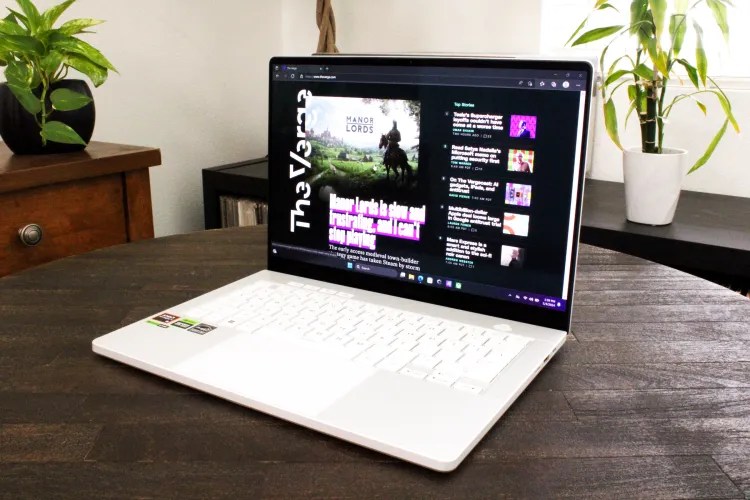
Here are the laptops I’d tell any parent to consider for their back-to-school student

If your back-to-school planning for this year calls for a new laptop, here are your best bets.

If your back-to-school planning for this year calls for a new laptop, here are your best bets.
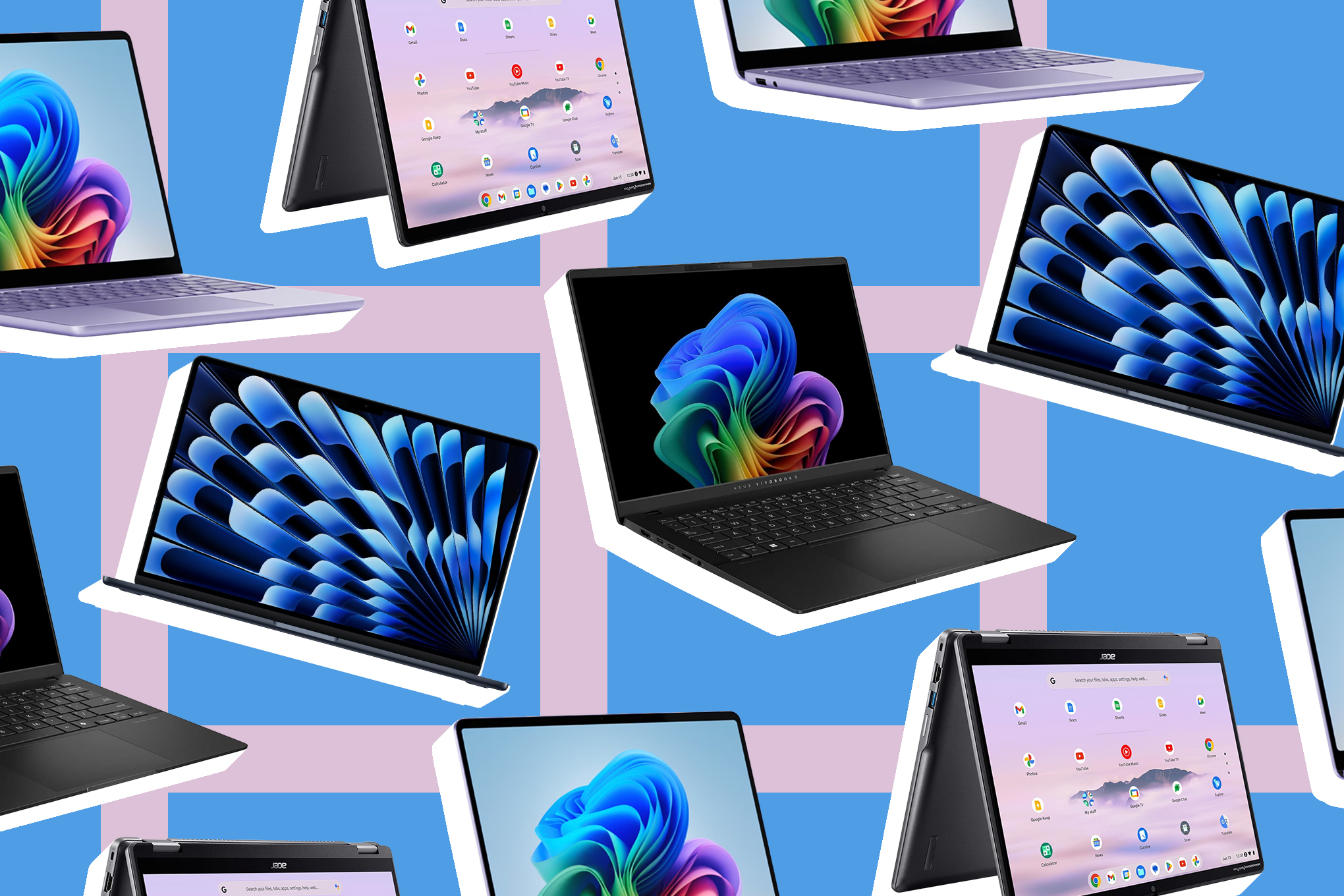
257862_back_to_school_laptop_buying_guide_CVirginia
Antonio G. Di Benedetto
Antonio G. Di Benedetto is a reviewer covering laptops and the occasional gadget. He spent over 15 years in the photography industry before joining The Verge as a deals writer in 2021.

We’re in the heart of summer fun, but it’s already time for back-to-school planning, especially if that involves buying a new laptop.

The dizzying number of different laptops and configurations can feel overwhelming, especially if you want something that doesn’t cost too much but will still last a long time. My general guidelines are to first pick the operating system you need (based on personal preference or class requirements), and then get the best specs you can afford. If your school has specific requirements or recommendations, they are likely found on the school website. A quality laptop should also have a good screen, keyboard, and trackpad — and preferably enough ports and some decent speakers.

Unless you’re buying a Chromebook, aim for an M4 processor (for Macs) or an Intel Core Ultra 5 or 7, an AMD Ryzen AI 300 series, or a Qualcomm Snapdragon X processor on a Windows machine, especially if you want your laptop to last at least four years. Aim for at least 16GB of RAM and 512GB of storage. If your budget allows for more RAM or storage then go for it, especially if neither is user-replaceable — it’ll help with performance and longevity. If you have to choose based on budget, prioritize RAM, since external storage is easily available.

What we’re looking for

The Verge tests laptops with an emphasis on real-world use. That means I use it for everyday work, which is not too different from the way many college students would work: getting a feel for multitasking performance while running lots of apps and browser tabs, running the battery down to see how long it lasts, and spending ample time with the laptop as my primary computer. I also run some synthetic benchmarks to quantify things like graphics processing, but, just like a student, a laptop is more than its test scores.

Much like our general buying guide, I’m looking for laptops with all-day battery life and decent performance for a good price. Keeping students and family budgets in mind, it should be a machine that can last five or more school years before getting bogged down or feeling outdated.

A good keyboard and quality trackpad are essential, especially since students in classrooms are less likely to plug in peripherals. The keyboard should be pleasant to type on, durable, and ideally backlit. The trackpad should be accurate and big enough to use comfortably.

Screen size can come down to preference, since what you give up in size is typically made up in portability. In most cases, around 13 inches is as small as you want to go, with 16 inches being the maximum before things get unwieldy. A 14-incher is a happy middle ground (and represented by more than half of our picks here). Aim for at least a 1920 x 1080 / 60Hz display that gets fairly bright, though higher is better, especially on larger screens, if it doesn’t get too expensive.

A student’s laptop should be well built and portable. For younger kids especially, it should be durable. For older kids and young adults, it should be easy to repair or at least readily serviceable to last as many years as possible.

A student laptop should be able to get through a student’s day of classes without needing to be constantly charged.

For ports, at least a couple of USB-C are essential.

Taking much of that into account, here are our top picks among current laptops.

The best laptop for most students
9

Verge Score

The Good

  • Easily lasts a full day on battery
  • Excellent choice for most people’s everyday needs
  • Nails the basics in a thin-and-light while feeling like a nice place to be

The Bad

  • Still starts with just 256GB of storage
  • Still has limited ports
  • Still prone to throttling under heavy creative tasks

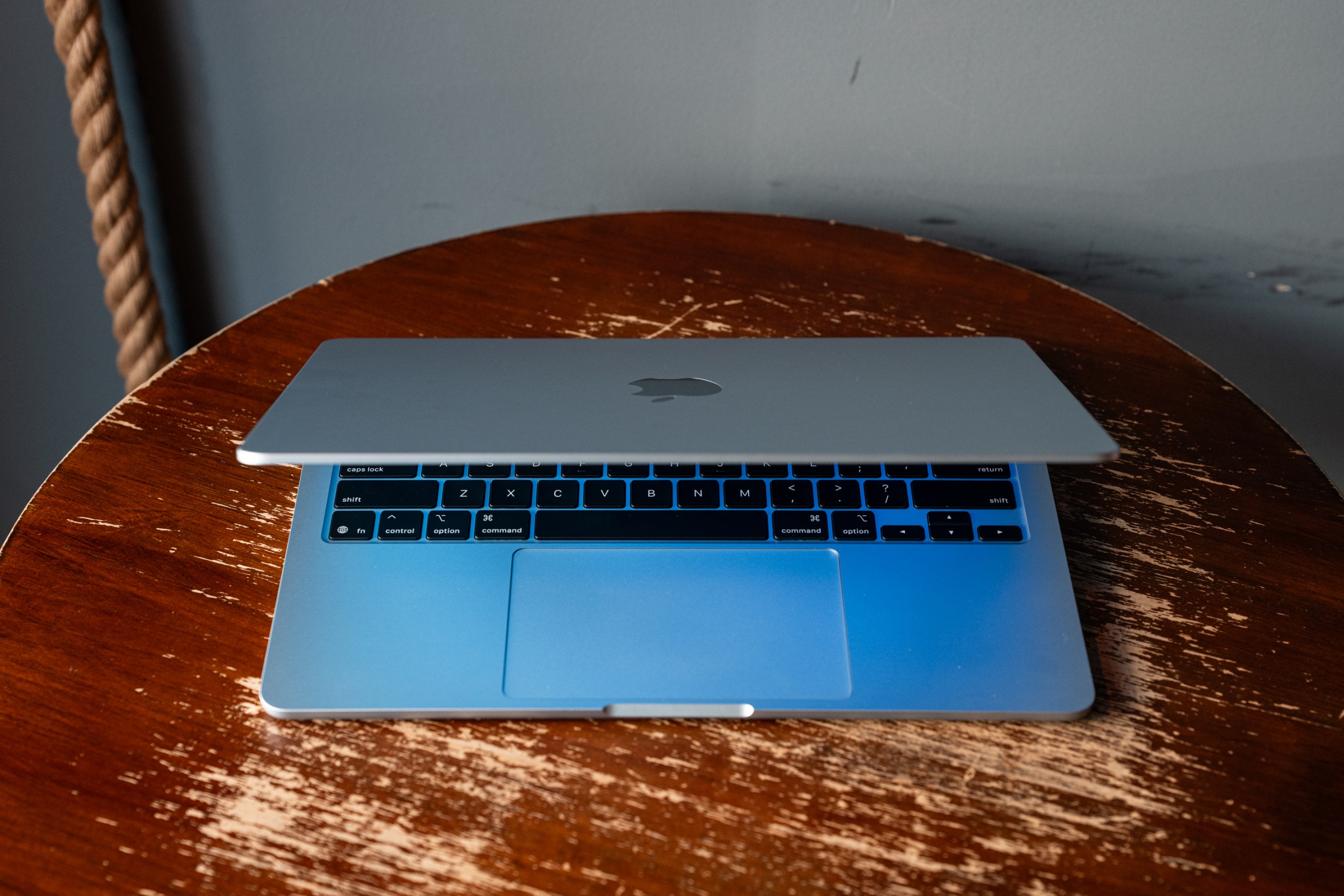
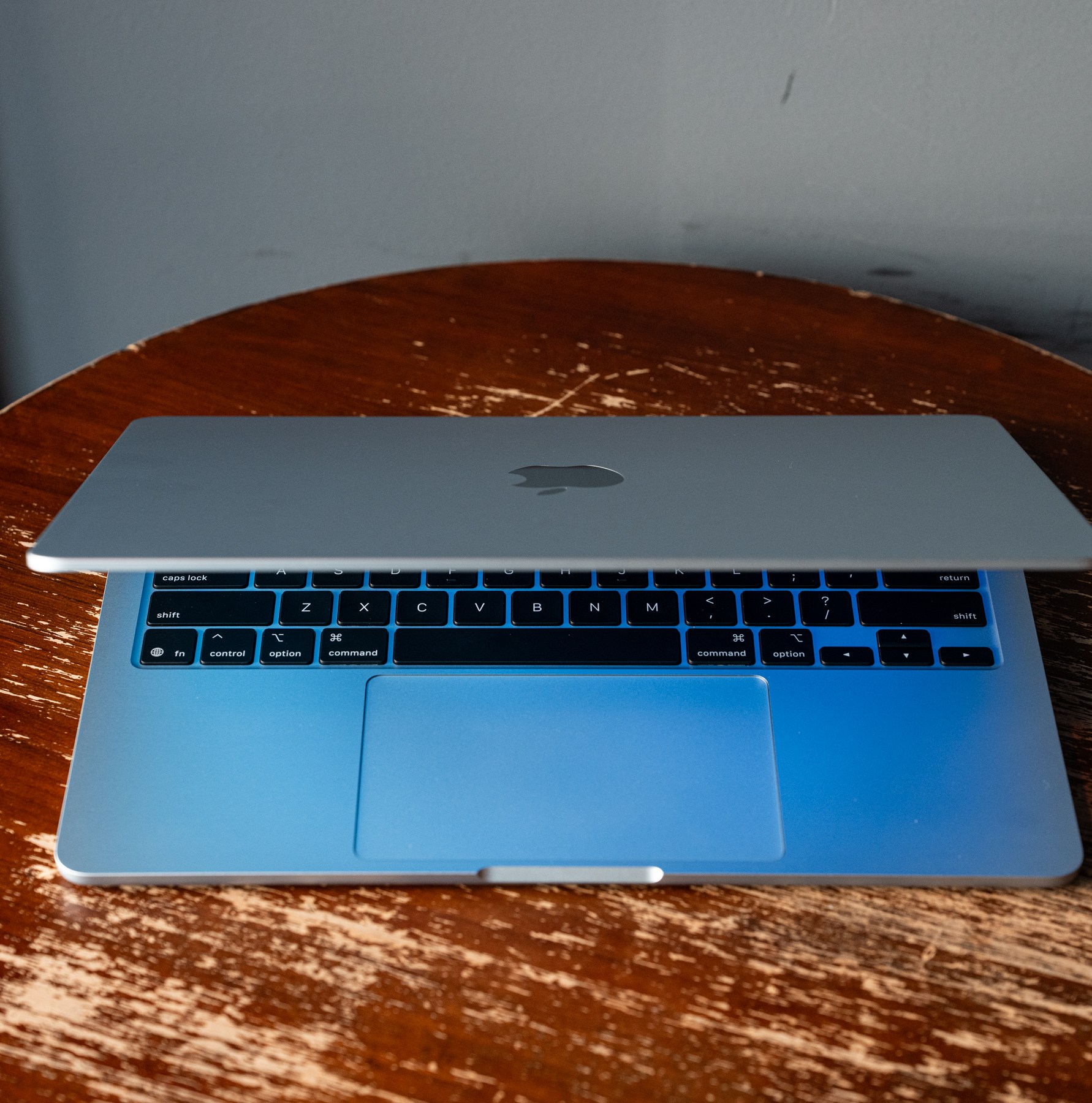
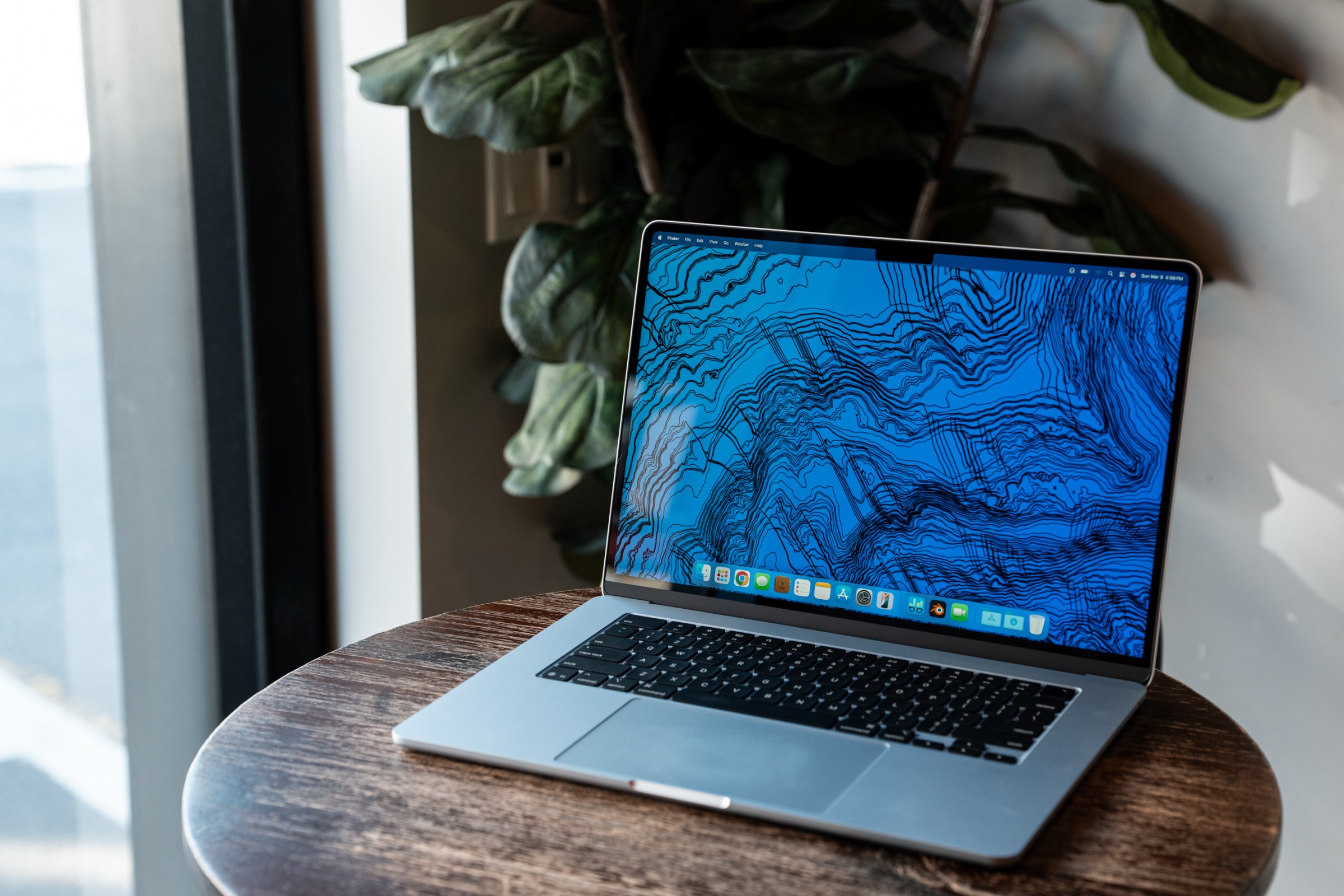
Unless you’re going into a field involving lots of graphics rendering or video editing, a MacBook Air should be more than enough computer to last through the student years. The Air is our top laptop recommendation for most people, and that includes students — particularly students in high school or starting college. Nothing else offers quite the same balance of performance, build quality, and battery life as Apple’s entry-level laptop. It’s a speedy little machine that can even handle some heftier content creation work. Its battery can easily get you through a packed day of classes. And it has the best trackpad around. The only major downside with an Air (as with all modern MacBooks) is that you can’t upgrade the storage or memory after you buy it.

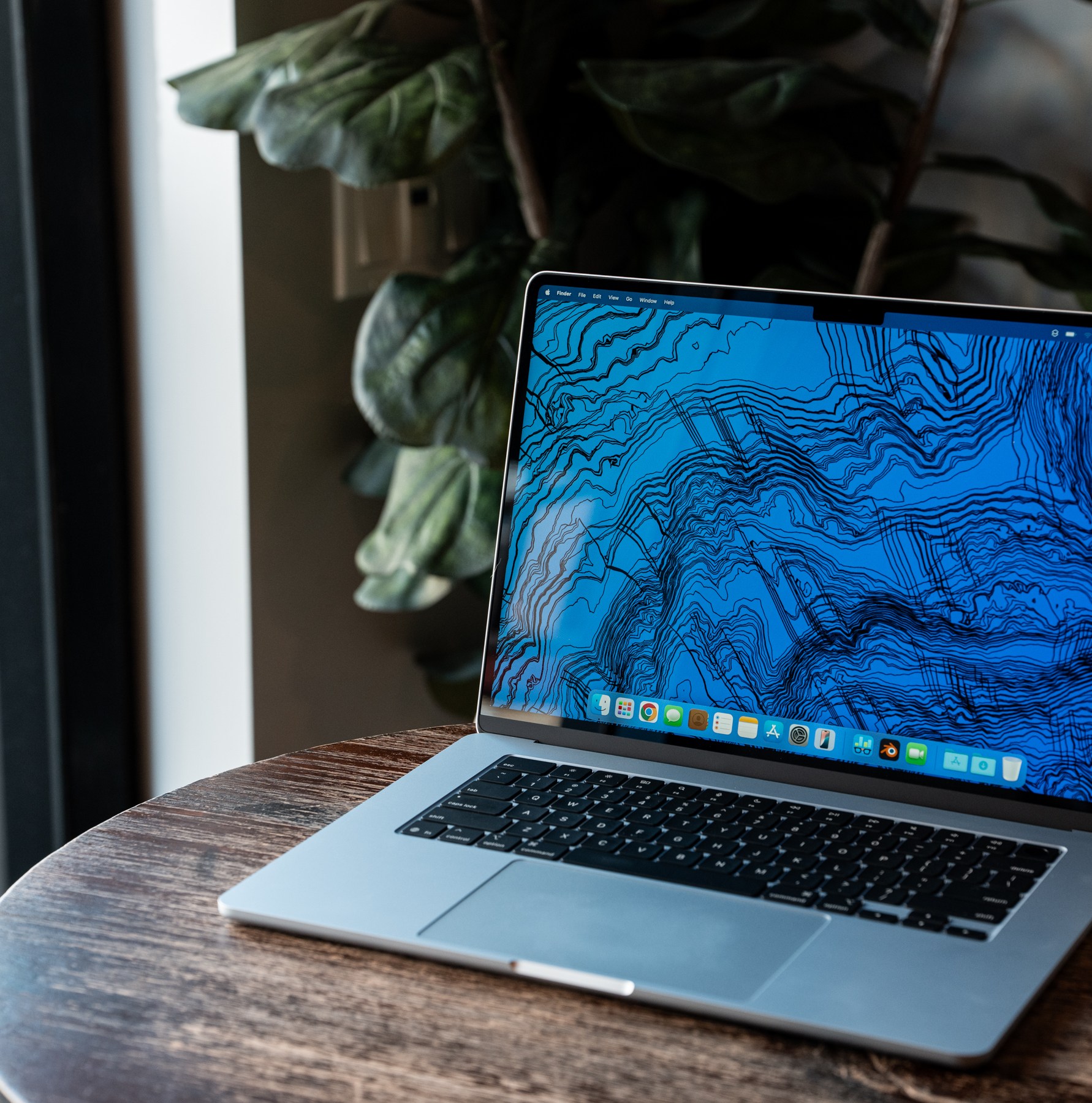
Now that MacBooks start with 16GB of RAM, even the base $999 13-inch model is excellent, if a little short on storage space at 256GB. So you may want to consider the $1,199 model with 512GB of storage. For the same price you can get the larger 15-inch model with roomier screen real estate and even better speakers, but then you’re once again starting with 256GB.
9

Verge Score

The Good

  • Easily lasts a full day on battery
  • Excellent choice for most people’s everyday needs
  • Nails the basics in a thin-and-light while feeling like a nice place to be
  • Louder speakers over its smaller counterpart

The Bad

  • Still starts with just 256GB of storage
  • Still has limited ports
  • Still prone to throttling under heavy creative tasks
Read our review of the M4 MacBook Air.

A note on older M-series Airs:

The original M1 MacBook Air can still be bought new from Walmart for $649 or less. Even at five years old, it remains a very good machine for those on tighter budgets, but it’s worth hunting for a deal on an M2 MacBook Air or newer if you can. That lingering M1 only has 8GB of RAM, and newer M2 and M3 versions have MagSafe chargers, better keyboards, and markedly better screens. You can often find one with 16GB of RAM for just a bit more than the M1, and it’ll be better for the long haul.

The best student laptop for serious content creation
9

Verge Score

The Good

  • Everything good about last year’s model but better
  • All the I/O of the pricier MacBook Pros
  • More RAM
  • New webcam is sharp and clear
  • Nano-texture display is a nice add-on

The Bad

  • Desk View webcam feature is low-res and overly distorted
  • Space black finish can still be a little smudgy
  • Apple’s price structure may still have you longing for M4 Pro / Max

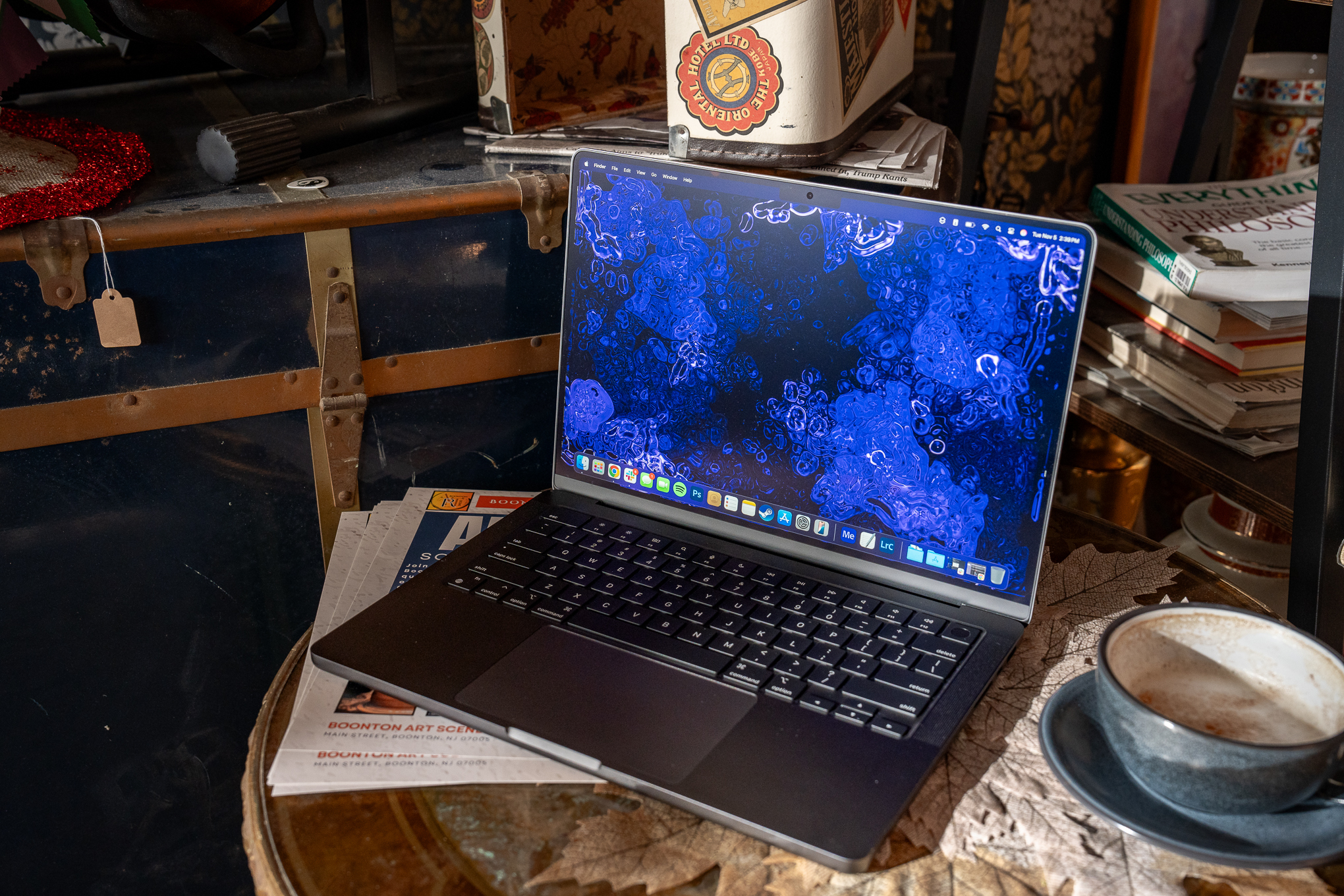
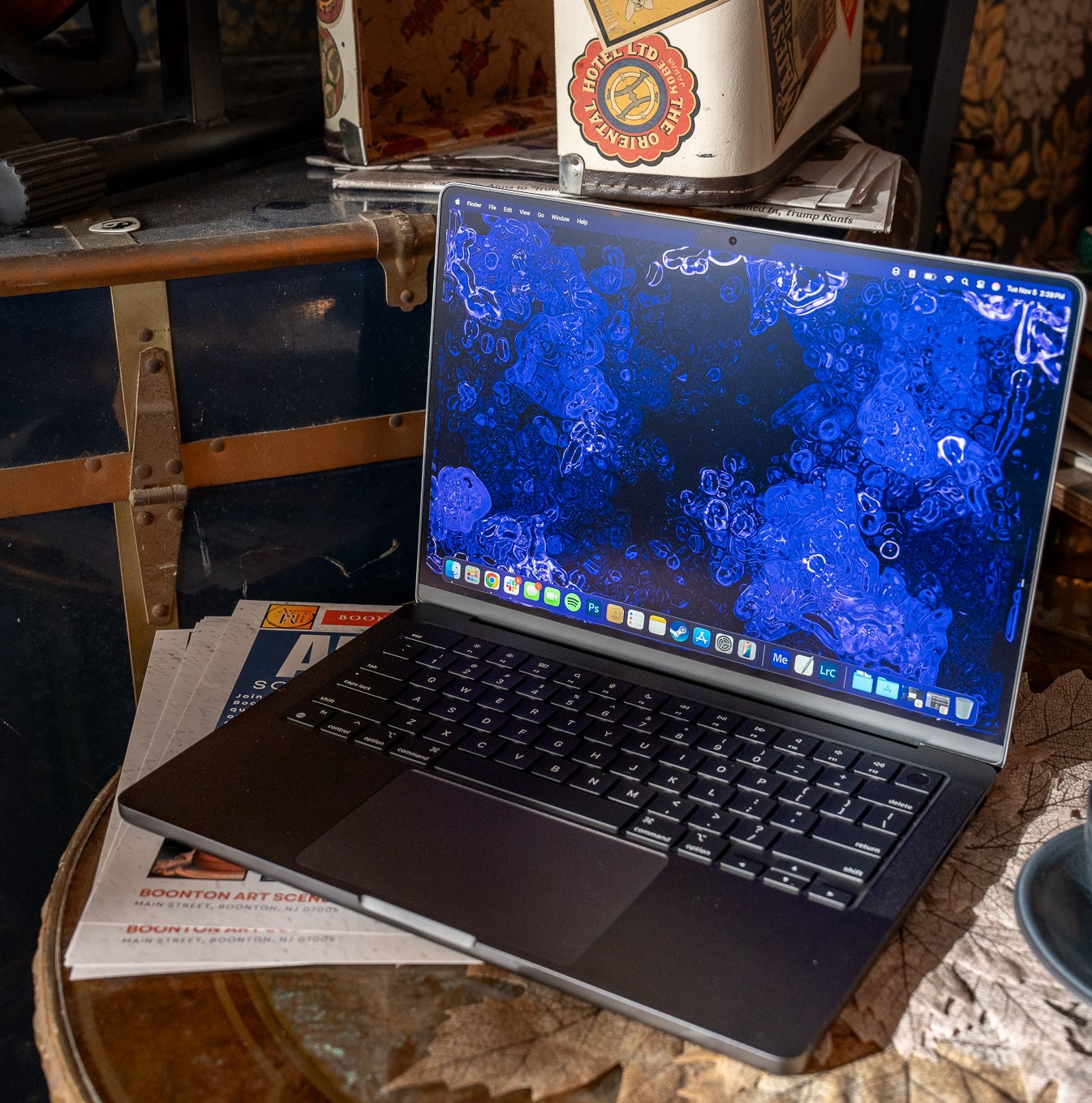
MacBook Pros have long been a staple on college campuses for students in creative fields, and the latest base version is one of the best laptops Apple has cooked up in years. Apple’s base model 14-inch MacBook Pro is a step up from the MacBook Air, with the same M4 chip. Its starting price of $1,599 is a significant jump from a $999 Air, but you get better performance and a bunch of worthwhile upgrades. The Pro has more ports than the Air, including an SD card reader and HDMI 2.1. Its screen is a nicer Mini LED panel with higher resolution and faster refresh rate. It’s got more ports, including an SD card reader and HDMI 2.1. It starts with 512GB of storage. And its battery lasts even longer.

These upgrades go a long way in making the MacBook Pro better and more futureproof for heavier creative tasks. Especially since it has a fan to cool its chip, allowing you to use content creation apps like the Adobe Creative Cloud suite for longer — the passively cooled Air starts off fast in these apps, but slows down considerably once its chip starts getting too hot.

Apple has two higher-end MacBook Pros: the 14- and 16-inch models running M4 Pro and M4 Max chips. They’re fantastic laptops with even more processing power than the base M4, plus upgrades like Thunderbolt 5 ports, but they start at $1,999 and $3,199, respectively. An M4 Pro model is a more futureproof option, but these are better fit for a working professional than a student.

Read our review of the 14-inch MacBook Pro M4.

The best modular laptops you can upgrade yourself
9

Verge Score

The Good

  • Still the repairability champ with excellent, modular port selection
  • Faster CPU performance over both Intel and previous AMD models
  • High-res 3:2 aspect ratio screen is great for productivity
  • Thin, light, and an overall great package

The Bad

  • Radeon 860M iGPU performance is a little lacking
  • Trackpad still feels a little cheap
  • Screen is a little lacking in contrast and color quality
  • Less repairable laptops offer more for similar prices or less

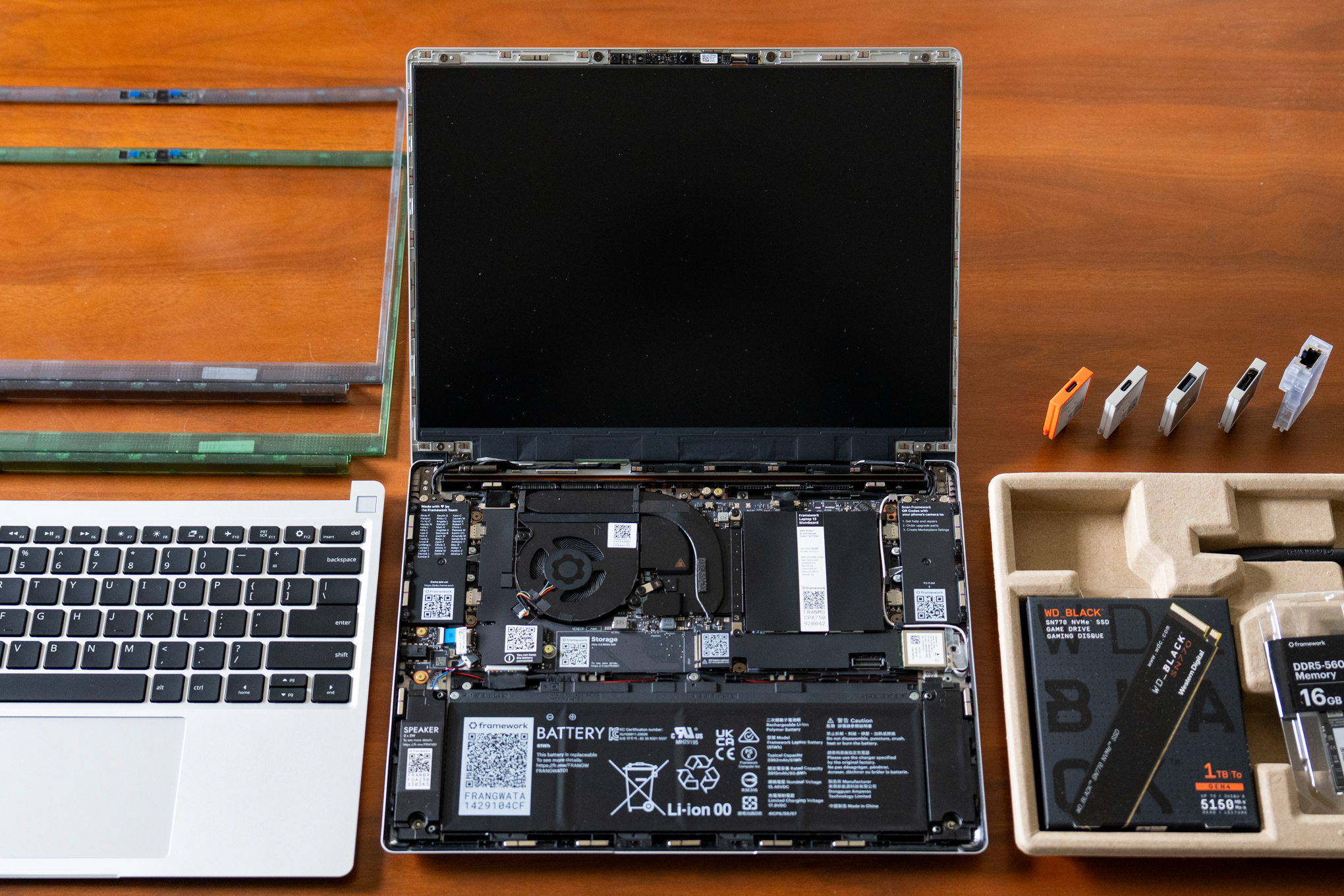
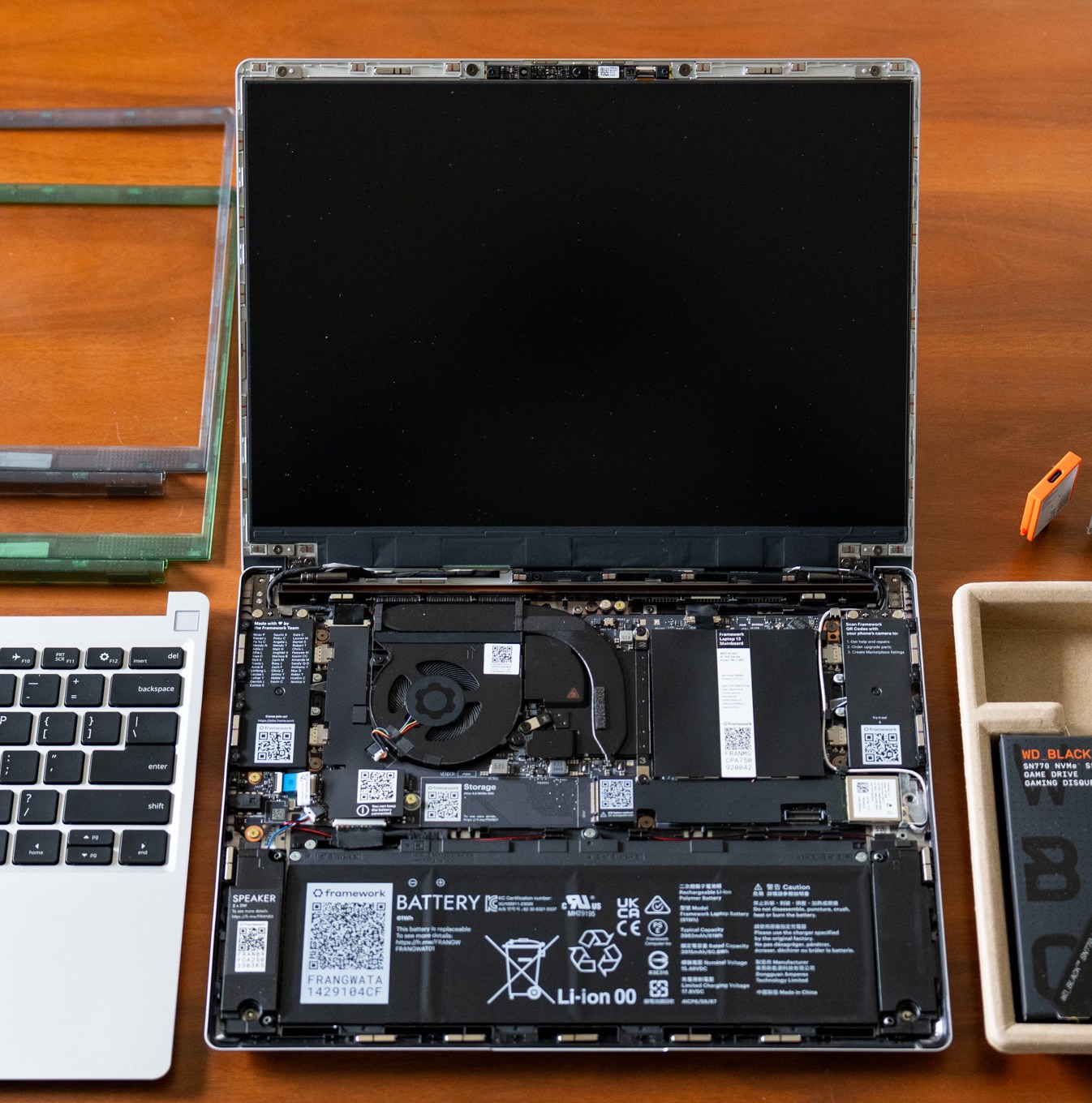
The Framework Laptop 13 and 2-in-1 Laptop 12 are notebooks that can grow and change with you. They’re easily repairable, and even years down the road you should be able to upgrade the RAM, storage, ports, and the entire mainboard and processor. They even have optional DIY editions, requiring some easy assembly — which I assure you is a joyously nerdy way to familiarize yourself with the inner workings of your laptop. There’s nothing else like them, and if you or your kid are the tinkering types it’s a fun experience for running either Windows or Linux.

But you don’t have to be going for a computer engineering degree. Even a newcomer can appreciate how Framework allows you to choose modular ports and swap them out at will. You can go all USB-C like a MacBook Air, or you can get funky by mixing and matching USB-A, DisplayPort, HDMI, SD / microSD card readers, and even an ethernet port.

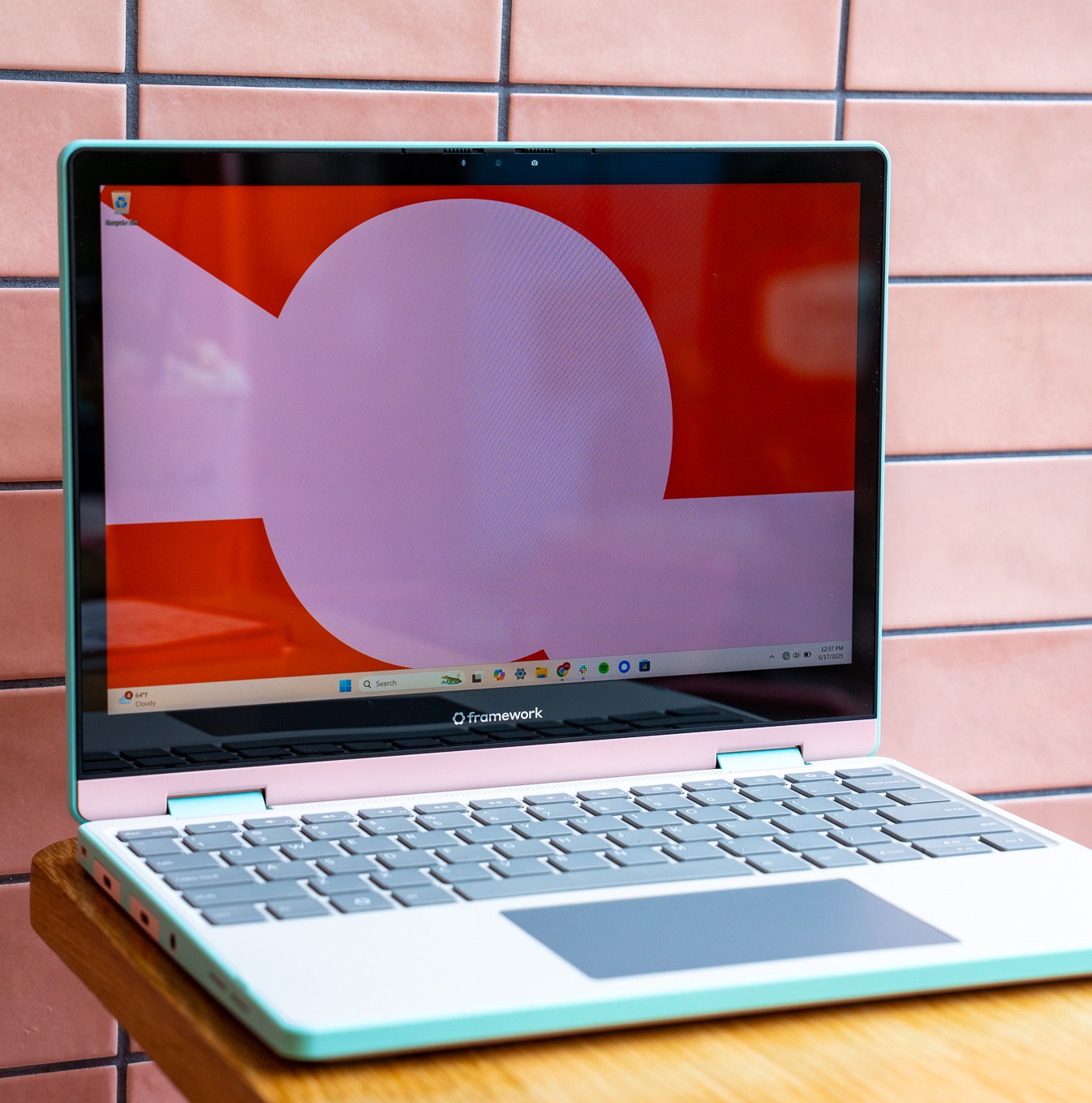
You just have to be willing to pay extra for the Frameworks’ modularity, upgradeability, and easy repairability, as they cost more than equivalent or better-specced laptops from other manufacturers. The newer Laptop 12 isn’t as good a choice for most people because of its price and older Intel chips, but its shock-resistant chassis and convertible tablet form factor make it even more uniquely appealing for younger kids.
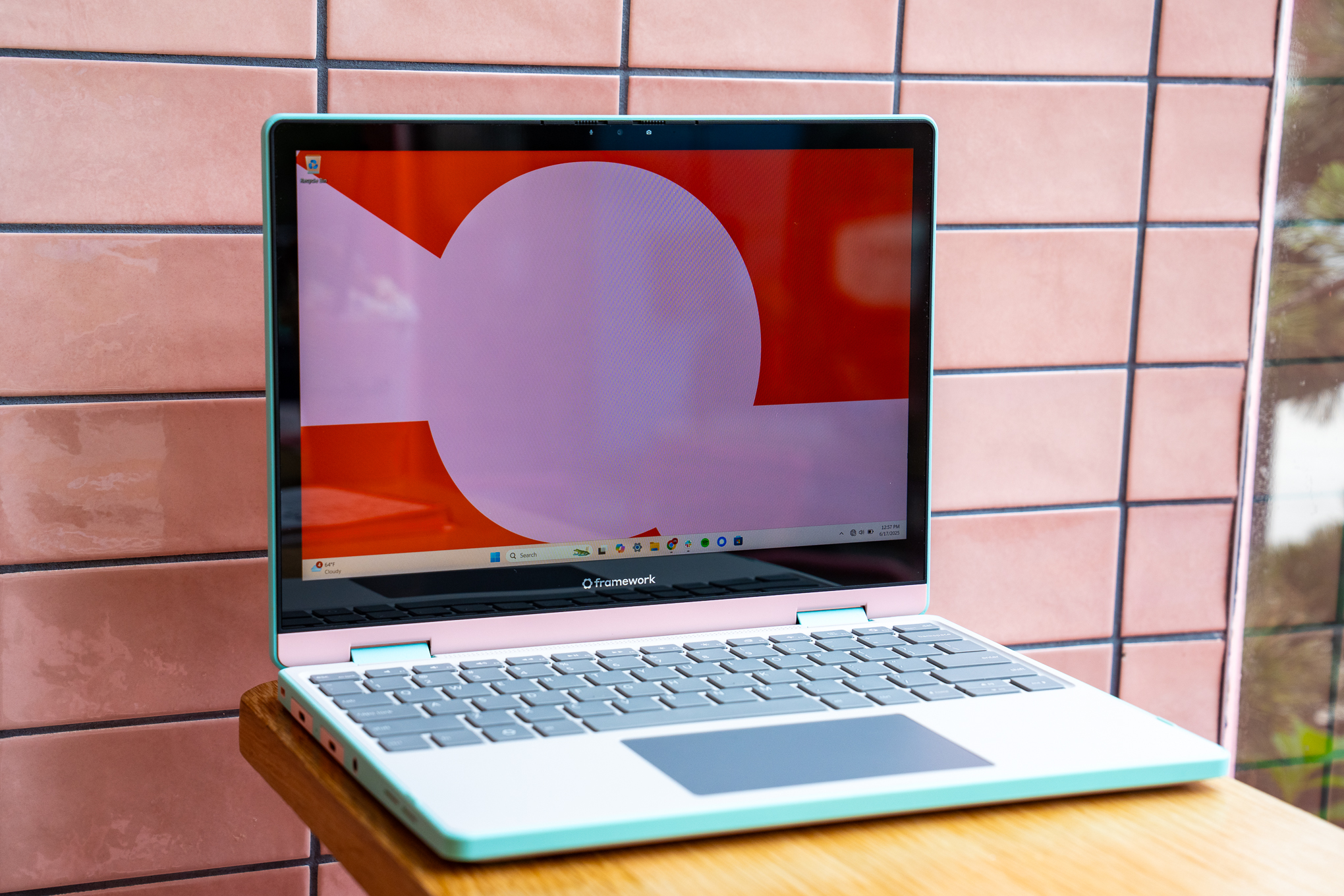
7

Verge Score

The Good

  • Easy repairs and potential upgrades
  • Fun design
  • Rubberized TPU edges make it more resilient for kids
  • Modular ports with internal “child locks”

The Bad

  • Not exactly cheap, especially with more RAM and storage
  • Aging processor, starts with 8GB of RAM
  • Chunky bezels
  • No Windows Hello unlocking
Read our reviews of the Framework Laptop 13 and Laptop 12.

A Windows laptop or tablet with amazing battery
8

Verge Score

The Good

  • Exquisite hardware that feels great to touch and use
  • Very good keyboard and one of the best mechanical trackpads
  • Battery can stretch to 1.5 days (with native Arm apps)
  • 3:2 aspect ratio screen is ideal for productivity

The Bad

  • Webcam doesn’t support Windows Hello
  • Loss of magnetic charging port
  • Snapdragon X still has app and game compatibility issues that competing chips do not
  • Why have Home, Page Up, and Page Down keys instead of media controls?

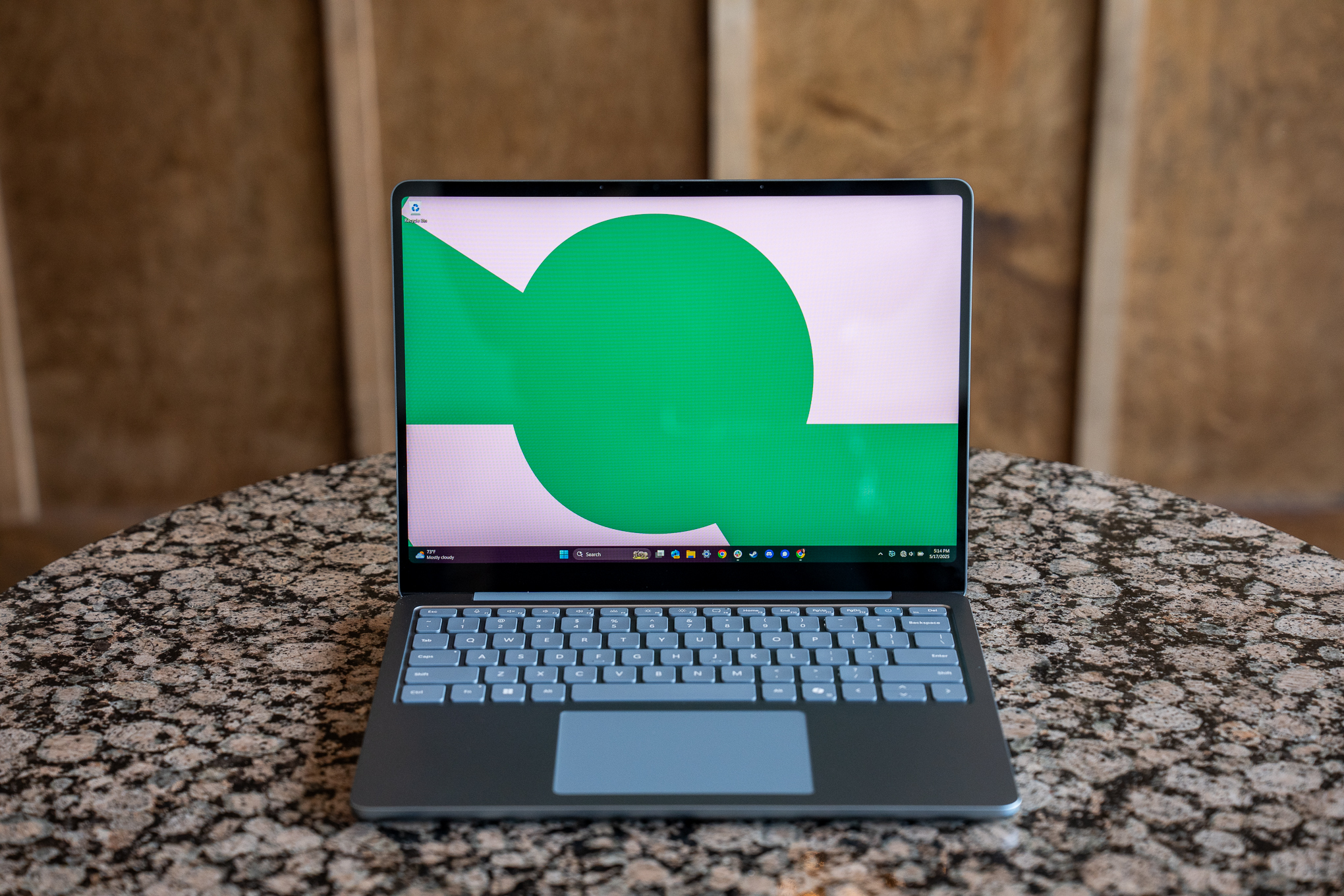
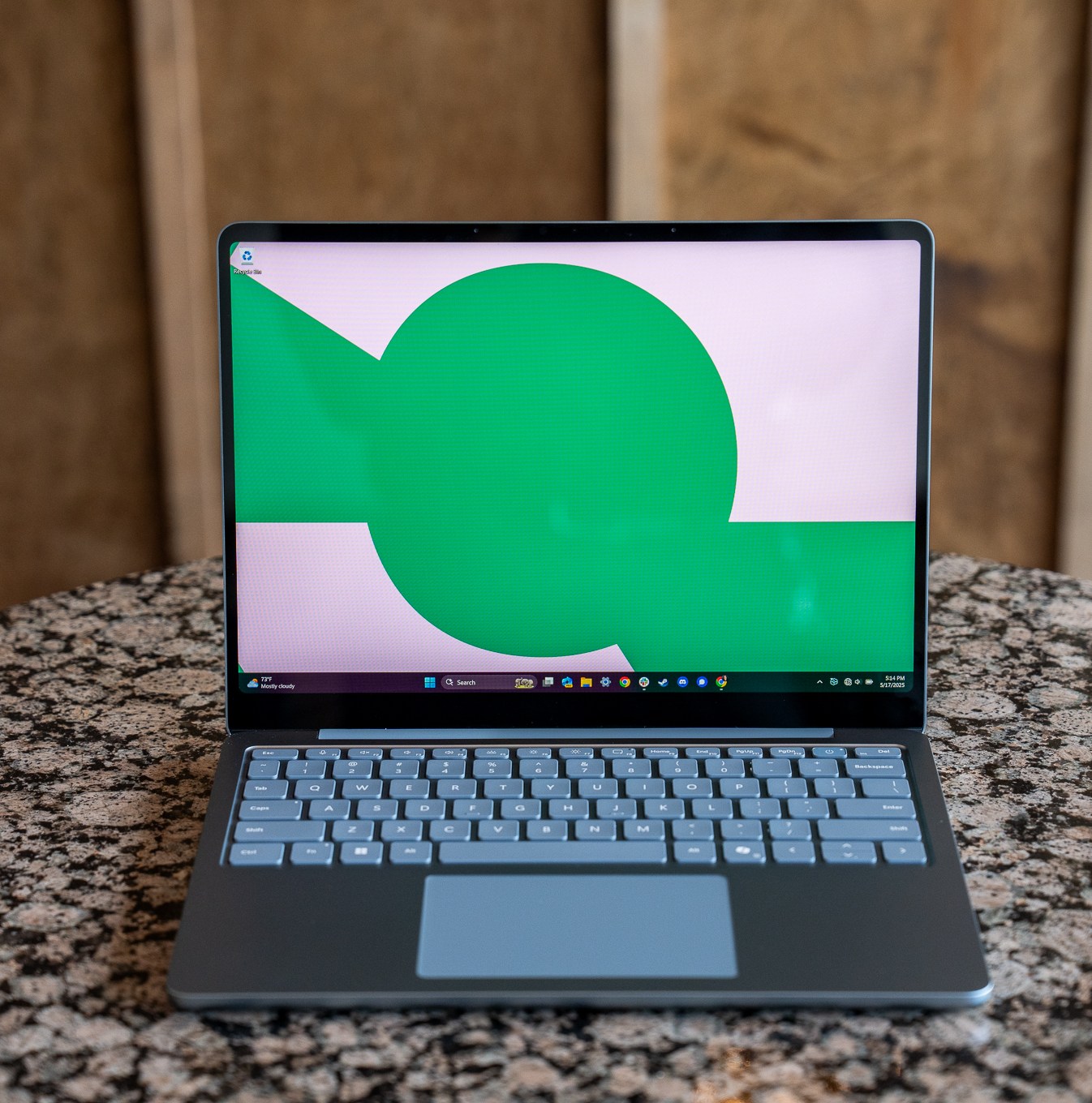
The latest, lower-cost Surfaces from Microsoft are great machines with excellent battery life, great standby times when left asleep, and solid performance. They’re Arm-based, which is what gives them that excellent battery life, but can lead to some app compatibility issues. Most common programs run fine, either natively or native-like via emulation. Just do your homework; if certain classes require specific apps, check to make sure they’ll run.

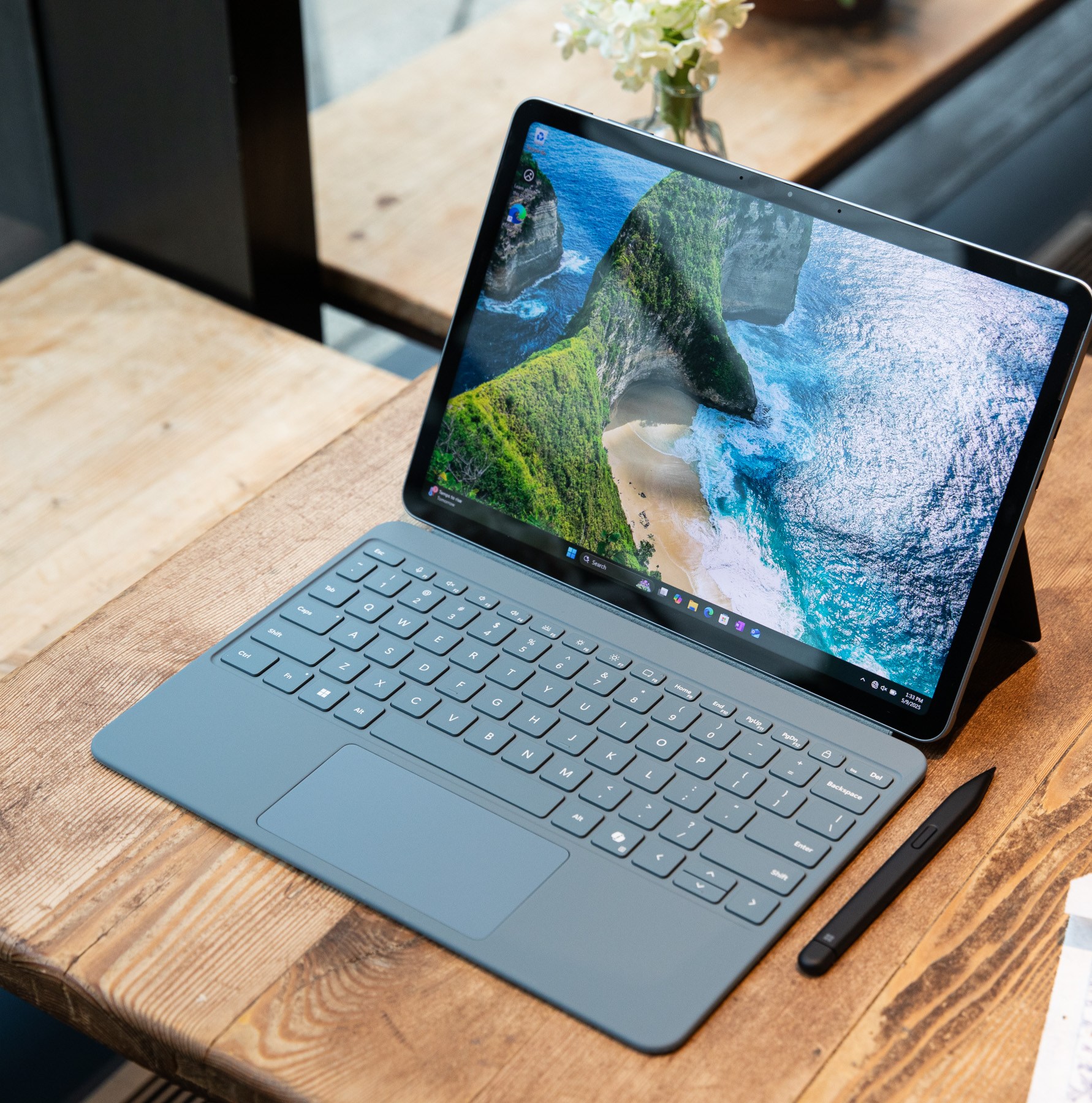
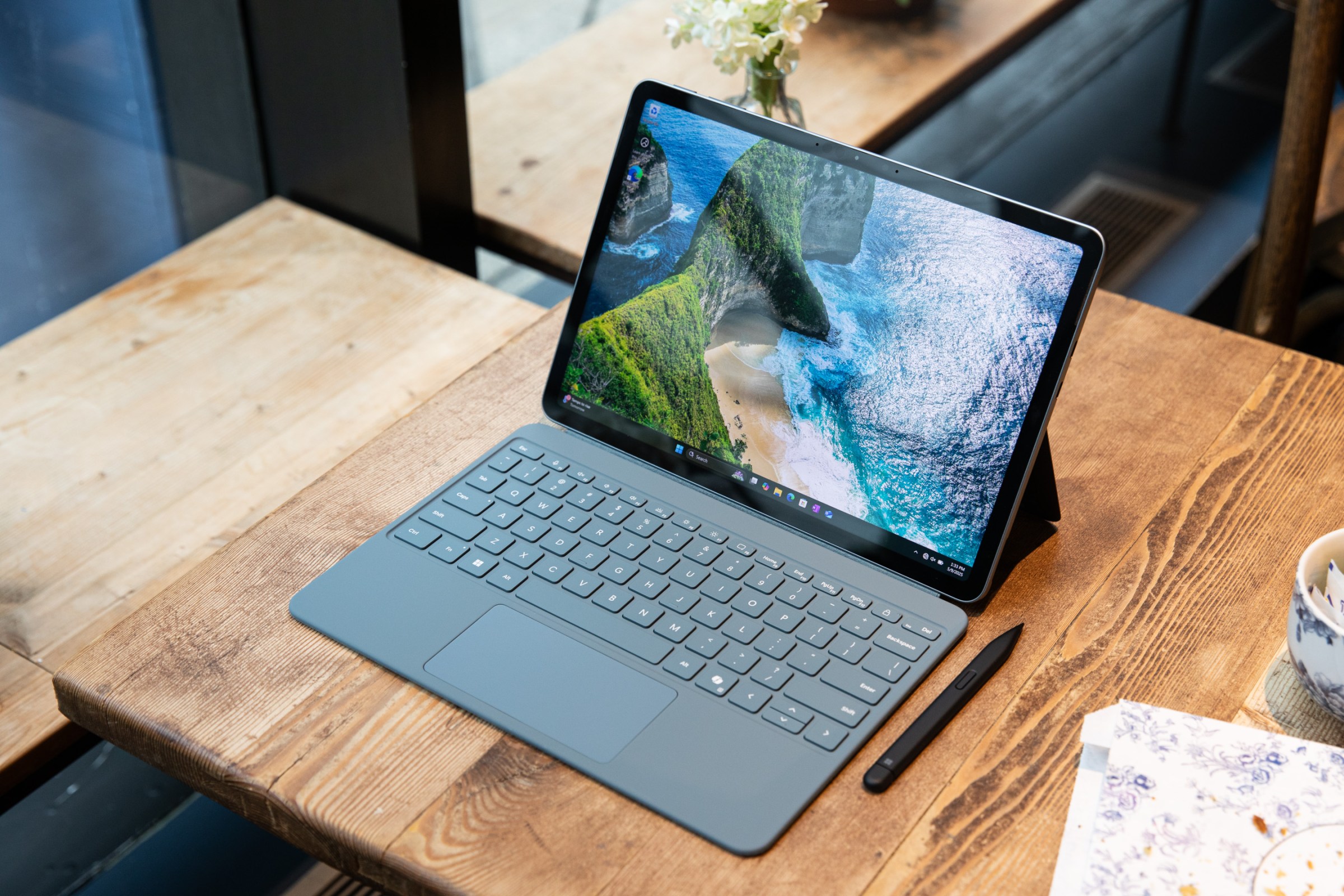
The 12-inch Surface Pro (starting at $799.99) and 13-inch Laptop (starting at $899.99) are well constructed, ultra-portable machines that feel very nice to use. Despite being the cheaper Windows laptops in this list, neither feels like a diminished experience (save for some odd design choices, like a lack of face unlock in the Laptop).

You can look at it as simply picking your preferred form factor: a traditional clamshell laptop or a convertible tablet with keyboard cover. The Laptop is the better buy, because the Surface Pro’s must-buy keyboard cover is an extra $150 (or $250 bundled with the stylus) — meaning its true starting price is around $850.
8

Verge Score

The Good

  • Beautiful fanless design
  • Great battery life
  • The keyboard is a lot sturdier

The Bad

  • Windows still needs a better UX in tablet mode
  • The thick display bezels
  • No haptic touchpad
Read our reviews of the Surface Laptop 13-inch and Surface Pro 12-inch.

The hands-down best Chromebook
9

Verge Score

The Good

  • Beautiful OLED screen, even at $649
  • Marathon battery life
  • Speedy performance with fanless design
  • Good-sounding speakers

The Bad

  • USB ports are only 5Gbps
  • Trackpad, while solid, has a slightly loud click
  • Webcam sometimes exhibits a green color cast
  • ChromeOS app compatibility / performance can still be frustrating (e.g., Zoom and Slack)

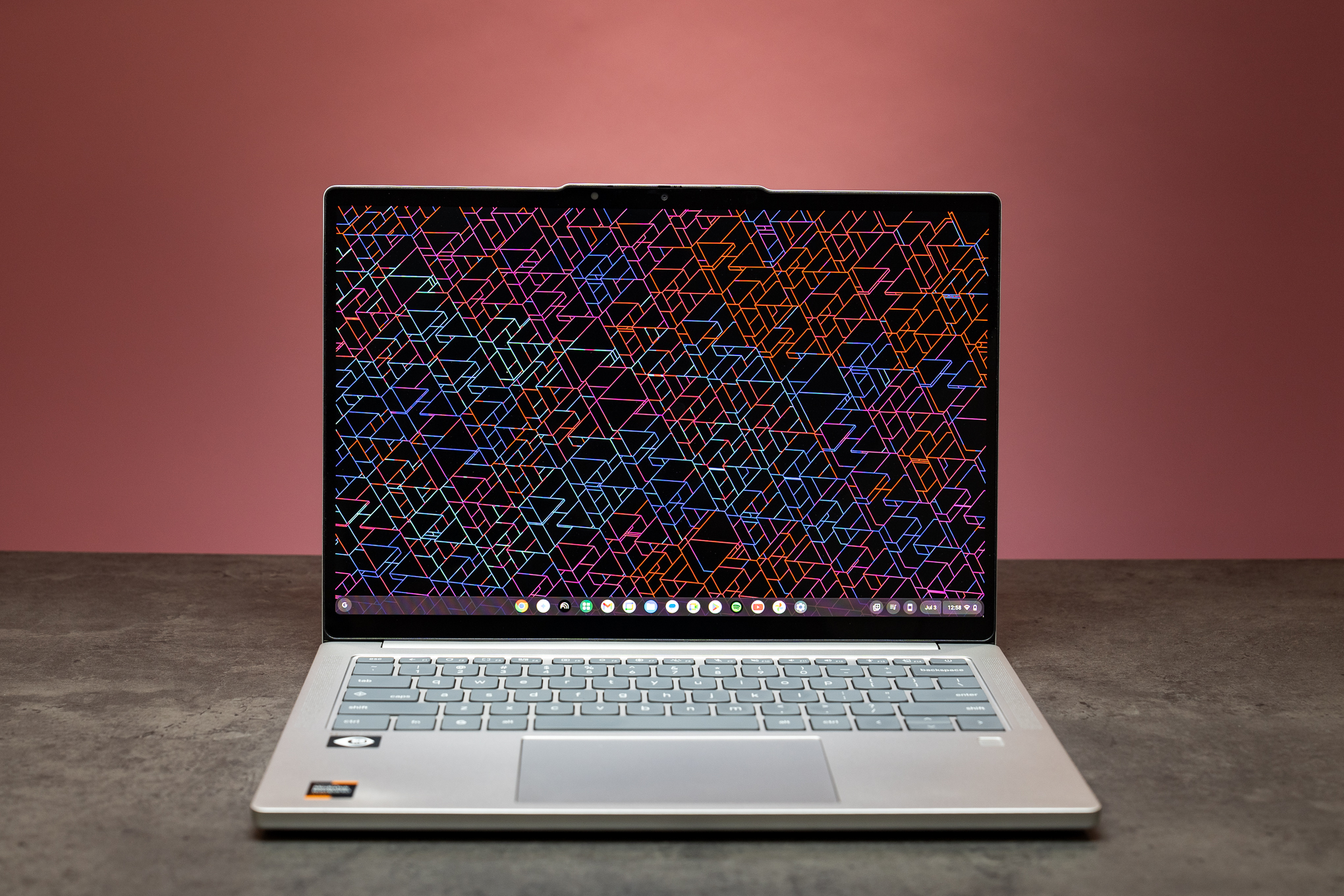
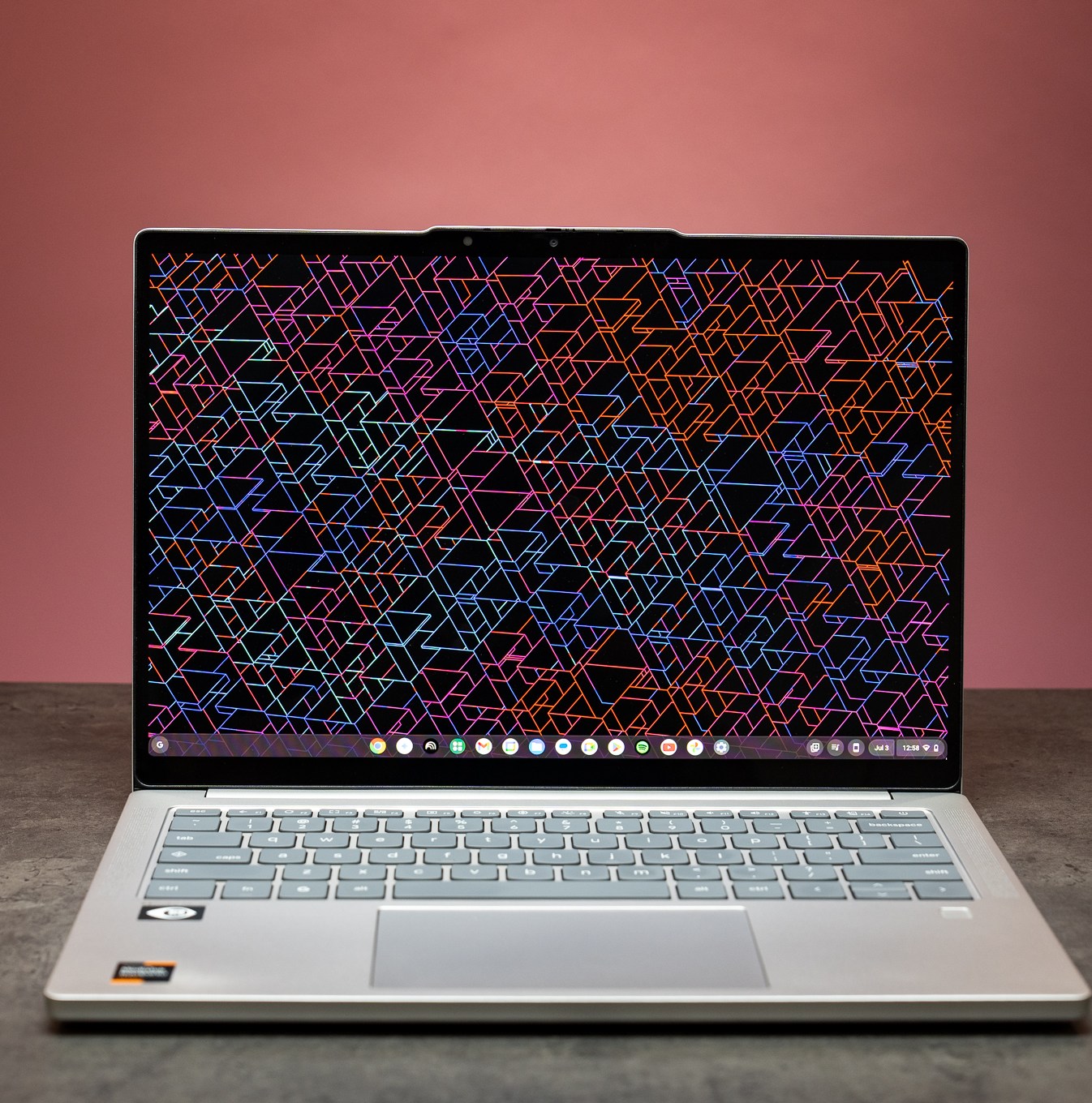
If you need or prefer a Chromebook for school and favor a traditional clamshell laptop, the Lenovo Chromebook Plus 14 is the best one. It’s a great Chromebook for older students, and a solid machine for just about anyone who wants a no-nonsense everyday computer. For $750 you get a fantastic touchscreen OLED display with deep contrast and vivid colors, a great keyboard, and marathon battery life. It’s a package that’s well built and totally silent thanks to a fanless design.

The Arm-based MediaTek processor is what gives the Lenovo its zippy performance and battery stretching into a second day of use. It can also lead to some small compatibility issues if you venture into using Linux apps (they need to be Arm compatible), but that’s unlikely to affect most users.

The Chromebook Plus 14 has some other small flaws, like lackluster 5Gbps data speeds on its USB ports and an only-okay trackpad, but it nails most everything else. And, again, paying only $750 for a 14-inch OLED panel this nice is a rare treat.

Read our review of the Lenovo Chromebook Plus 14.

The best 2-in-1 convertible Chromebook
The Good

  • The best convertible Chromebook experience
  • Speedy Thunderbolt 4 ports
  • Faster RAM than previous gen

The Bad

  • No fingerprint sensor
  • A little pricey when not discounted
  • 8GB of RAM

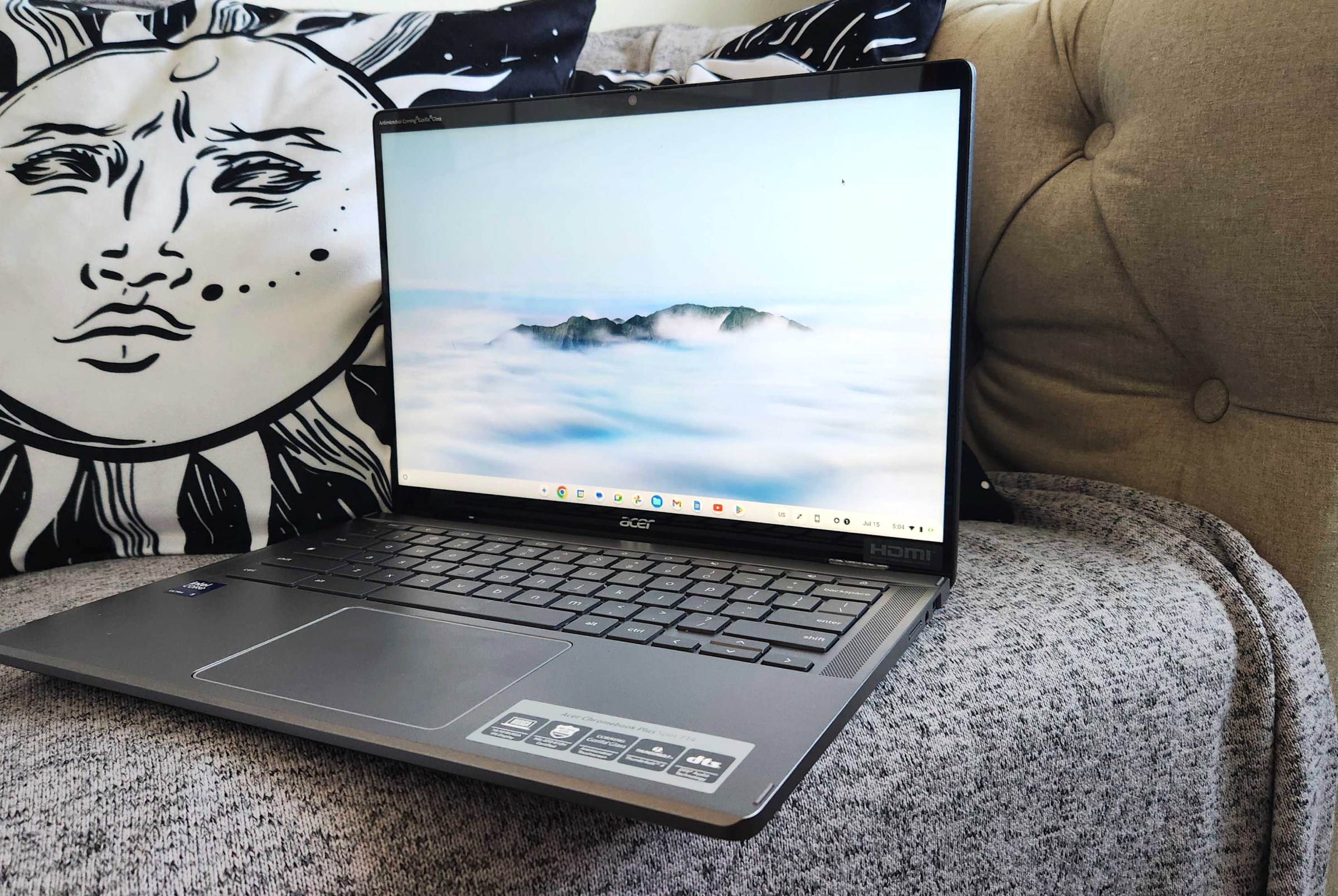
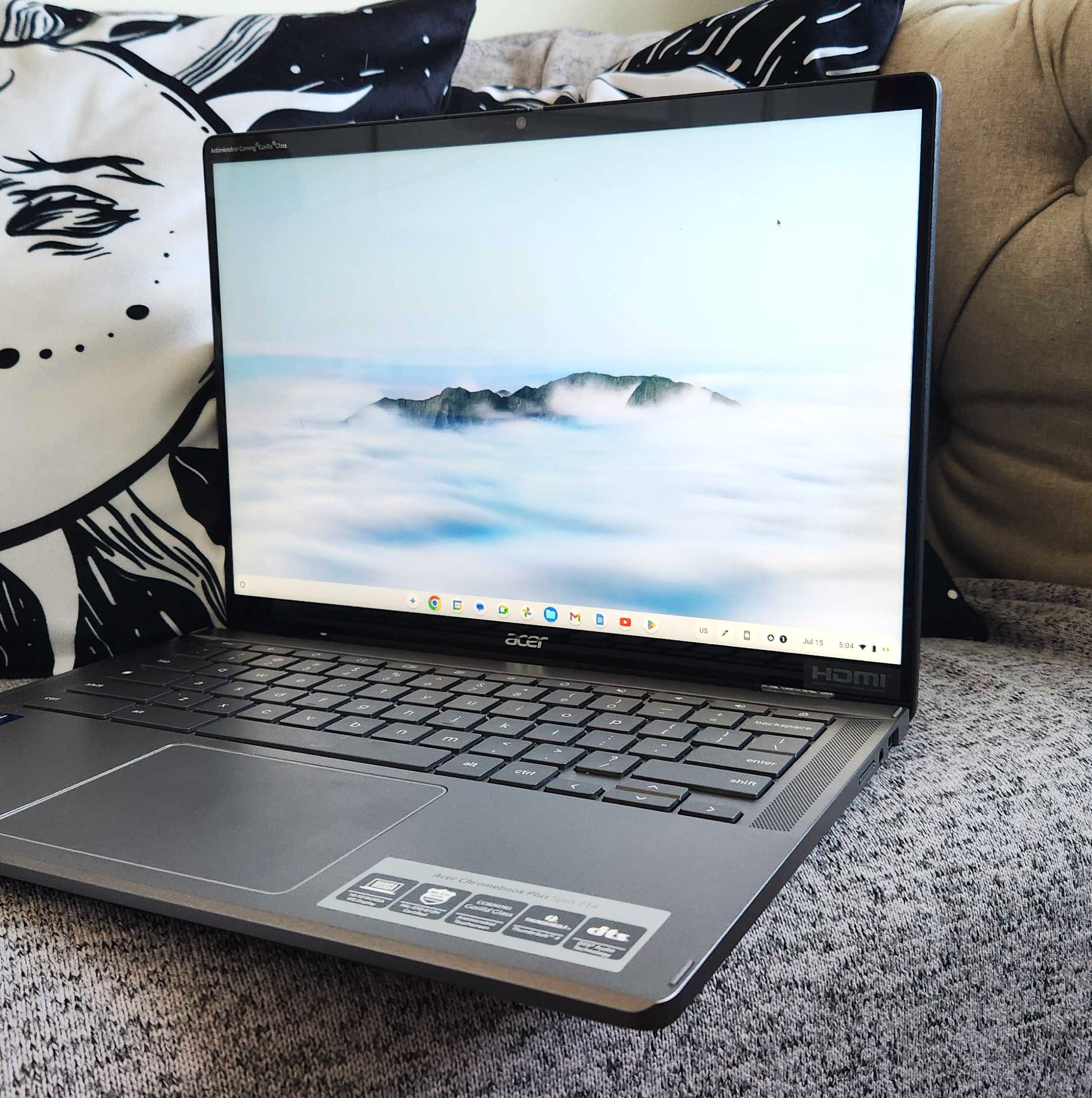
If you want a 2-in-1 convertible Chromebook, the Acer Chromebook Plus Spin 714 is your bag. The 2024 Acer may now be getting outclassed by the freshly launched Lenovo, but it’s still one of our top picks since it’s so versatile.

The Chromebook Spin 714 and its Intel processor offers a great balance of performance, battery life, and specs for the money. It has speedy Thunderbolt 4 ports, and its x86 architecture allows for free rein to install and tinker with Linux apps.

Now that this latest version of the Spin is a year old (though still current), it can occasionally be had for $200 off. So if you want a top-flight Chromebook you can find for a decent discount, the Spin is a great choice.

The best Chromebook under $400
8

Verge Score

The Good

  • Excellent look and build
  • Sharp 1080p display
  • 1080p webcam with AI features and physical shutter

The Bad

  • No touchscreen option
  • Stiff touchpad
  • Battery life could be a bit better

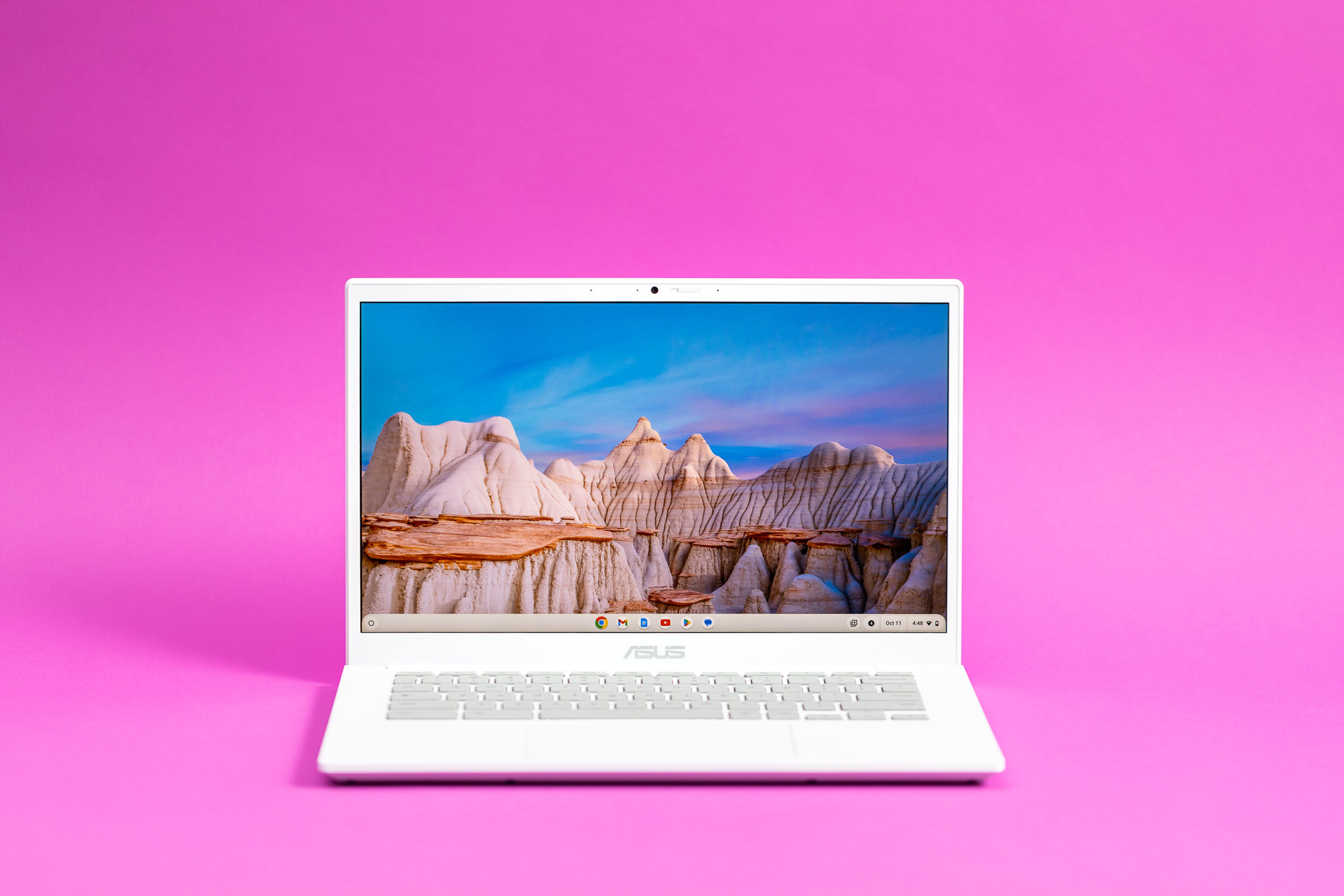
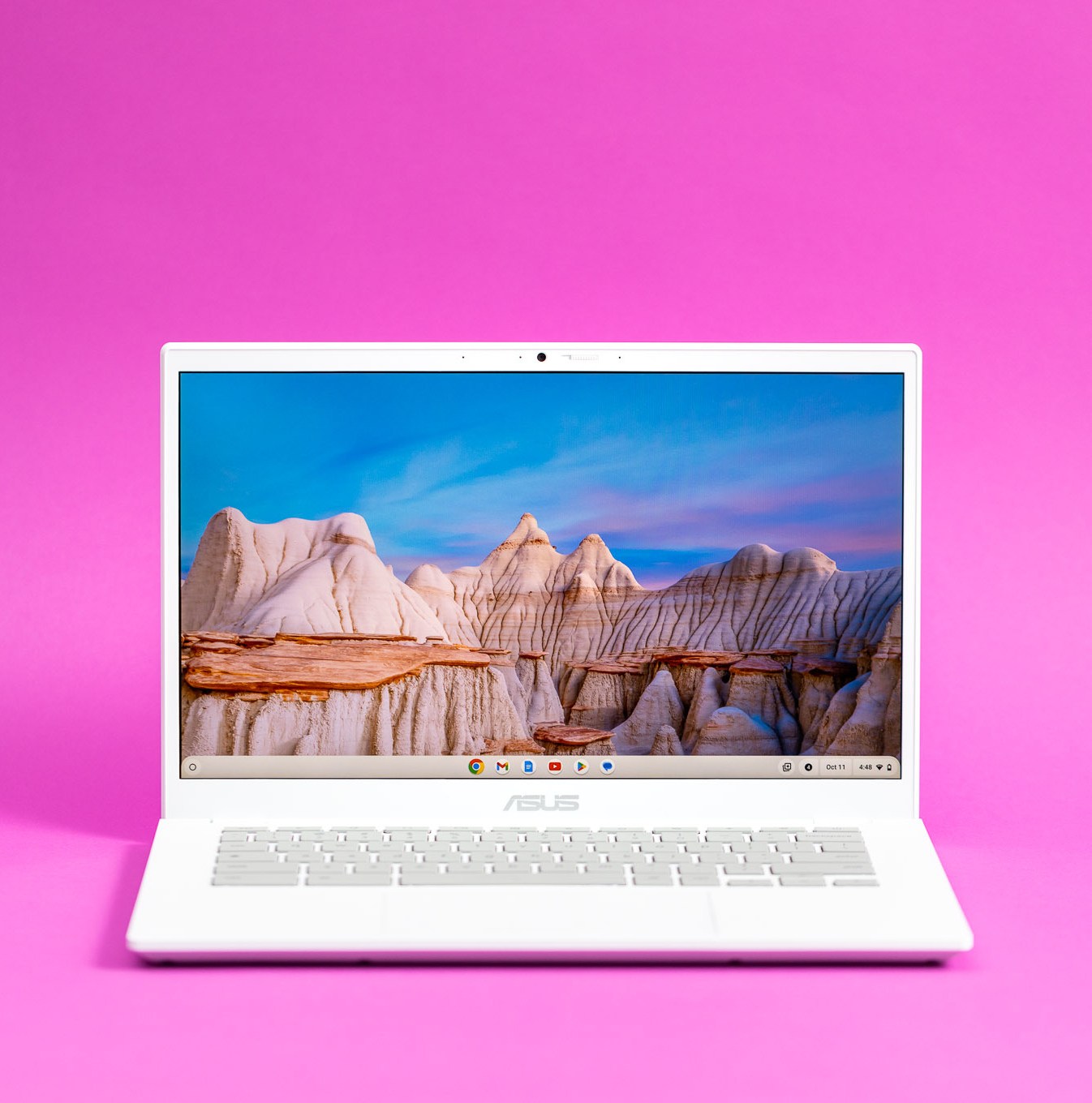
If you’re shopping for a younger student and don’t want to spend a ton, but also don’t want to risk buying something crappy, the 14-inch Asus Chromebook Plus CX34 is a safe bet. It’s one of the cheapest Chromebooks with the Plus designation, which means it meets a certain level of performance, battery life, and quality. Chromebook Plus laptops have better-than-average screens, and they should be able to last through a school day without needing a charge.

The CX34 normally costs $600 these days, but it sometimes sells for under $400. That’s the sweet spot, getting you excellent build quality, a nice screen, and a sleek design for an affordable price.

The CX34’s 1920 x 1080 / 250-nit display may feel a little cramped and dim compared to the 16:10 screens on the Acer Chromebook Plus Spin 714 and Lenovo Chromebook Plus 14, but it offers a sharp picture with minimal glare. It’s got a great keyboard that Asus claims to have tested as spill-resistant, giving a bit more peace of mind when entrusting it to a child. The Asus remains a go-to choice for something you can have younger students use that lasts some years.

Read our review of the Asus Chromebook Plus CX34.

A great higher-end Windows laptop with a big screen
8

Verge Score

The Good

  • It’s gorgeous
  • Incredibly thin and light for a 16-inch laptop
  • Great performance, especially the integrated graphics

The Bad

  • Shorter battery life than major competitors
  • StoryCube doesn’t work
  • Couldn’t get a sense of how fast the NPU really is

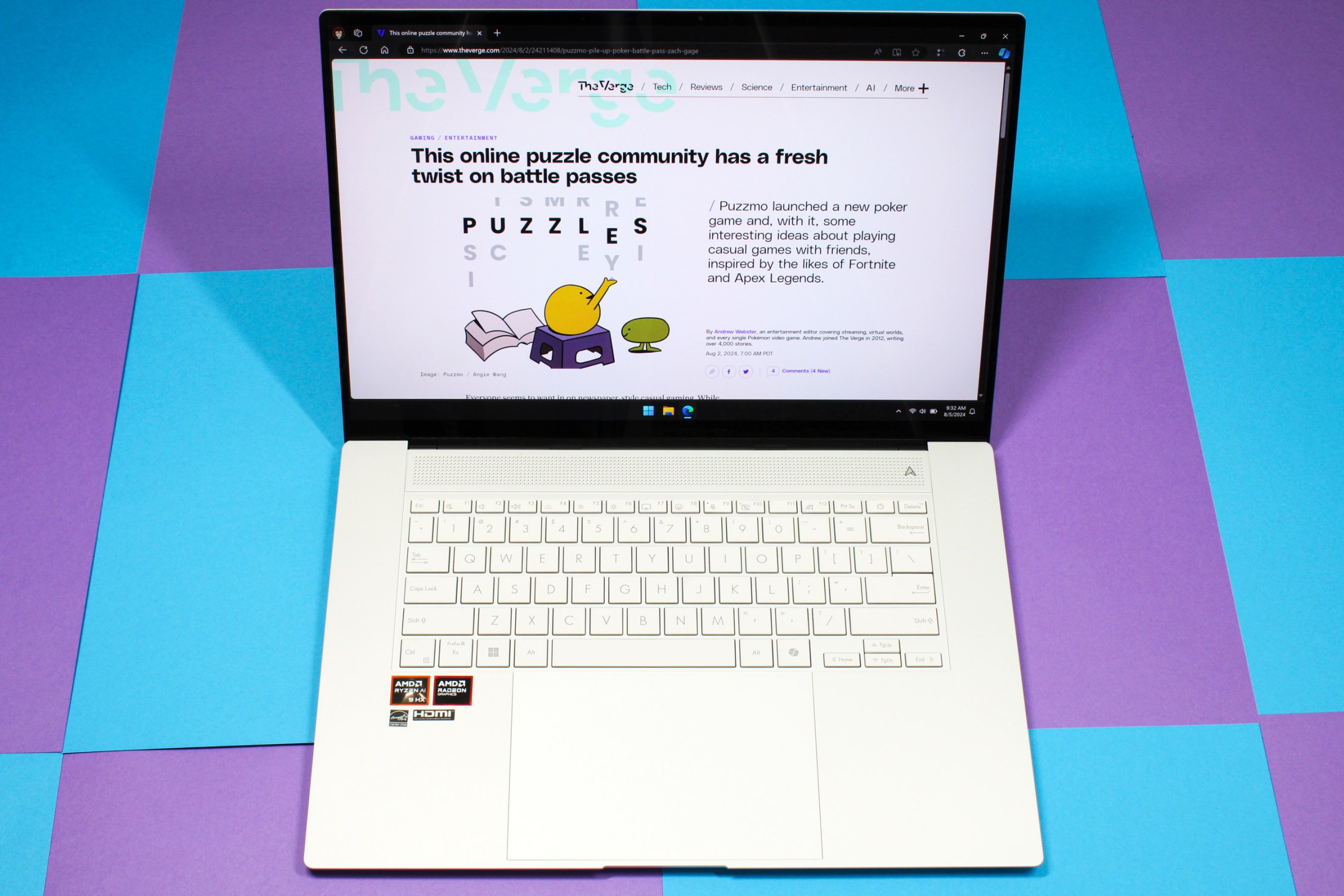
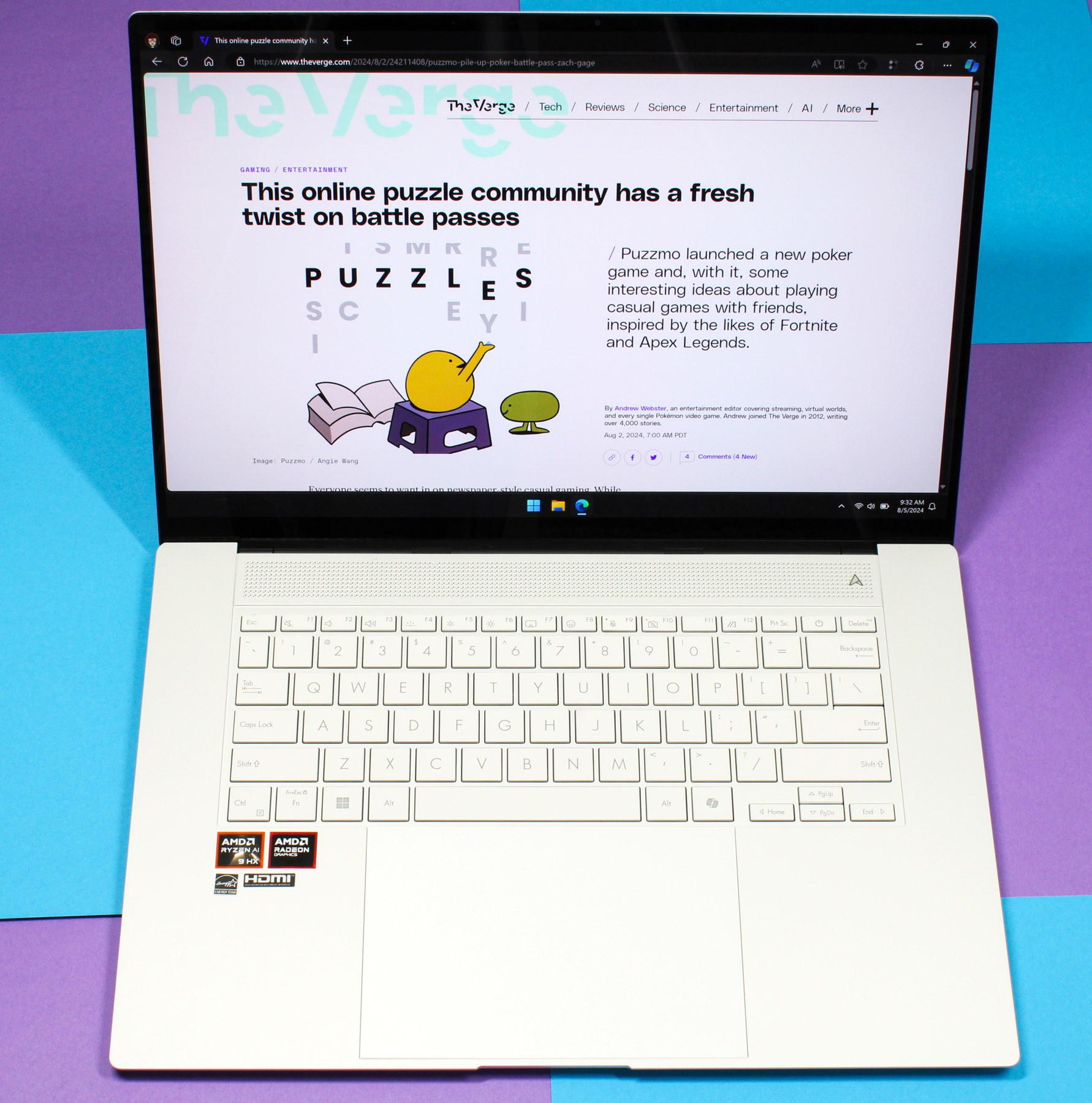
Sometimes bigger is better, and the Asus Zenbook S 16 is a total treat of a Windows thin-and-light laptop. It’s got AMD Strix Point processors that are powerful enough for even some light gaming, and the star of the show is its 2880 x 1800 16-inch OLED touchscreen capable of a smooth 120Hz refresh rate.

The Zenbook S 16 is one of the pricier options we have here, with a standard price of $1,799.99, but it sometimes goes on sale for as much as $500 off. This is a very capable option for high school or college students who need to run Windows and prefer a big screen for easier multitasking. And its thinness makes it very portable for a 16-inch machine, making it less of a hassle to tote a large laptop around campus. Asus also makes a 14-inch version — we expect it to be similar, but we haven’t tested the smaller model.

The downside of the Zenbook’s powerful chip and thin chassis is that it’s not the battery champ some of the other options here are. It’s still enough to get through an average day of classes, but it’s going to need a charge in the late afternoon if you have a lengthy sprint of back-to-back lectures or you’re cramming late into the night.

Read our review of the Asus Zenbook S 16.

The best gaming laptop for (very responsible) students
The Good

  • Balanced performance, battery life, and portability
  • OLED display
  • Programmable LED strip on the lid
  • Great keyboard and smooth trackpad

The Bad

  • Gets a bit hot and loud under load
  • Soldered RAM
  • Thermally throttles its GPUs

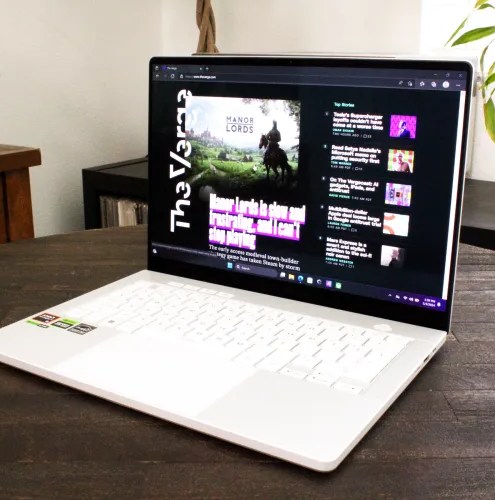
Treating your kid to a gaming laptop may seem like you’re inviting them to slack off, but if you want to splurge on one device for both schoolwork and play you can’t go wrong with Asus’ ROG Zephyrus G14. The G14 is as “normal” as gaming laptops get, with a design that doesn’t scream cringe-gamer too much (aside from some small ROG branding). Unlike many other gaming laptops, the Zephyrus has solid battery life that can get you through your day’s classes — assuming you save the gaming for when you plug in at the end of the day.

The $1,799.99 base model uses a capable AMD Ryzen 9 270 processor and discrete Nvidia GeForce RTX 5060, which is enough power to play just about any game, even the latest big-budget ones, albeit not at the highest settings.

An important part of what makes the G14 special is how good the rest of the laptop is. It’s got a crisp and lovely 14-inch OLED with 2880 x 1800 resolution and 120Hz refresh, a great keyboard, and a very good trackpad. It offers a bunch of ports, and it doesn’t run overly loud or hot when tackling the basic productivity stuff.

You’d be spoiling your kid a bit (maybe a lot of bit) with a laptop like this, but you can meet their school needs while also treating them to the world of PC gaming.

Read our buying guide featuring the Asus ROG Zephyrus G14.

Follow topics and authors from this story to see more like this in your personalized homepage feed and to receive email updates.

Most Popular

Similar Posts

  • The hidden scaling cliff that’s about to break your agent rollouts

    Join the event trusted by enterprise leaders for nearly two decades. VB Transform brings together the people building real enterprise AI strategy. Learn more Enterprises that want to build and scale agents also need to embrace another reality: agents aren’t built like other software.  Agents are “categorically different” in how they’re built, how they operate, and…

  • Gridcare thinks more than 100 GW of data center capacity is hiding in the grid

    Hyperscalers and data center developers are in a pickle: They all want to add computing power tomorrow, but utilities frequently play hard to get, citing years-long waits for grid connections.

    “All the AI data centers are struggling to get connected,” Amit Narayan, founder and CEO of Gridcare, told TechCrunch. “They’re so desperate. They are looking for solutions, which may or may not happen. Certainly not in the five-year timelines they cite.”

    That has led many data centers to pursue what’s called “behind the meter” power sources — basically, they build their own power plants, a costly endeavor that hints at just how desperate they are for electricity.

    But Narayan knew there was plenty of slack in the system, even if utilities themselves haven’t discovered it yet. He has studied the grid for the last 15 years, first as a Stanford researcher then as a founder of another company. “How do we create more capacity when everyone thinks that there is no capacity on the grid?” he said.

    Narayan said that Gridcare, which has been operating in stealth, has already discovered several places where extra capacity exists, and it’s ready to play matchmaker between data centers and utilities.

    Gridcare recently closed an oversubscribed $13.5 million seed round, the company told TechCrunch. The round was led by Xora, Temasek’s deep tech venture firm, with participation from Acclimate Ventures, Aina Climate AI Ventures, Breakthrough Energy Discovery, Clearvision, Clocktower Ventures, Overture Ventures, Sherpalo Ventures, and WovenEarth.

    For Narayan and his colleagues at Gridcare, the first step to finding untapped capacity was to map the existing grid. Then the company used generative AI to help forecast what changes might be implemented in the coming years. It also layers on other details, including the availability of fiber optic connections, natural gas, water, extreme weather, permitting, and community sentiment around data center construction and expansion. 

    Techcrunch event

    San Francisco
    |
    October 27-29, 2025

    “There are 200,000-plus scenarios that you have to consider every time you’re running this study,” Narayan said.

    To make sure it’s not running afoul of regulations, Gridcare then takes that data and weighs it against federal guidelines that dictate grid usage. Once it finds a spot, it starts talking with the relevant utility to verify the data.

    “We’ll find out where the maximum bang for the buck is,” Narayan said.

    At the same time, Gridcare works with hyperscalers and data center developers to identify where they are looking to expand operations or build new ones. “They have already told us what they’re willing to do. We know the parameters under which they can operate,” he said.

    That’s when the matchmaking begins.

    Gridcare sells its services to data center developers, charging them a fee based on how many megawatts of capacity the startup can unlock for them. “That fee is significant for us, but it’s negligible for data centers,” Narayan said.

    For some data centers, the price of admission might be forgoing grid power for a few hours here and there, relying on on-site backup power instead. For others, the path might be clearer if their demand helps green-light a new grid-scale battery installation nearby. In the future, the winner might be the developer that is willing to pay more. Utilities have already approached Gridcare inquiring about auctioning access to newfound capacity.

    Regardless of how it happens, Narayan thinks that Gridcare can unlock more than 100 gigawatts of capacity using its approach. “We don’t have to solve nuclear fusion to do this,” he said.

    Update: Corrected spare capacity on the grid to gigawatts from megawatts.

  • RealSense spins out of Intel to scale its stereoscopic imaging technology

    After 14 years of developing inside of semiconductor giant Intel, RealSense is striking out on its own.

    RealSense sells cameras that use stereoscopic imaging, a process that combines two images of the same object from different angles to create depth, enhanced with infrared light. This technology helps machines like robots, drones, and autonomous vehicles have a better perception of the physical world around them. The tech is also used for facial authentication.

    “The common denominator of all of them is they live in the real, physical world,” CEO Nadav Orbach told TechCrunch. “They need to understand the surroundings in 3D and based on that, take and plan actions right in the world. And for that, they need a real-time, high-accuracy ability to understand the surrounding in 3D. And that’s what we do best.”

    Orbach joined Intel back in 2006 as a CPU architect in Israel. He started working on vision technology in 2011 before becoming the general manager of incubation and disruptive innovation in 2022 and moving to San Francisco last year.

    “We knew and understood that 3D perception was going to be big,” Orbach said about the early days of RealSense. “To be honest, we weren’t quite sure in which domain. We tried that across different market segments and different applications, all the way from gesture recognition with computers, phones, until we really found our sweet spot over the years, mostly in robotics.”

    The company works with numerous industries outside of robotics, too. Orbach said they’ve heard from fish farms looking to track the volume inside their pens. Chipotle has also used RealSense cameras, in a partnership with AI restaurant software company PreciTaste, to track when food containers are low.

    RealSense has more than 3,000 customers and has seen a surge in new interest over the last three to four years as AI has improved. With that, the applications for robotics, especially, have scaled.

    Techcrunch event

    Boston, MA
    |
    July 15

    The company realized it may have a better chance keeping up with demand — and scaling itself — if it spun out of Intel and raised its own capital, Orbach said.

    The spinout plans hatched last year and got the approval from former Intel CEO Pat Gelsinger. The company is now independent and raised a $50 million Series A funding round from Intel Capital and other strategic investors to get started on its own.

    “For me, it was exciting, to be honest,” Orbach said. “I’m a veteran executive in the company, but it’s first time that I’m, you know, I was on the other side of the table. It was a very humbling experience for me as a first-time CEO to go and and raise money.”

    RealSense will put the capital toward building out its go-to-market team and making improvements to its technology. The company is particularly focused on improving the tech so it can help improve safety during humans and robot interactions and to improve access control.

    “There is a learning curve of, you know, stepping out,” Orbach said. “I’m extremely excited about that. I’m fortunate to have a very strong team with a lot of people in my team that that have entrepreneurial experience. I feel that with my background, together with with some strong teammates, I think we have the right mix for success. And for me, it’s a dream coming true.”

  • Best Noise-Canceling Headphones: Sony, Bose, Apple, and More

    Honorable MentionsNow that the majority of new headphones and earbuds offer at least a modicum of noise canceling, it’d be impossible (and unproductive) to list everything we like above. If you haven’t yet found your fit, here are more favorites worth considering.Beyerdynamic Amiron 300 for $280: These simple-looking earbuds (8/10, WIRED Recommends) are a great way to experience quiet luxury. They have 10 hours of battery life with noise canceling engaged, and they have some of the best-sounding drivers for vocals I’ve heard in any earbuds.Sony WF-1000XM5 earbuds for $298: Sony’s fifth-generation flagship earbuds (7/10, WIRED Recommends) slim down while stepping up. These buds are smaller and slicker (maybe too slick when it comes to grabbing them) than the previous XM4 buds. As before, they provide great sound and noise canceling that outduels plenty of options, with a cost to match. In true Sony style, they serve up a truckload of adaptive features and EQ controls while retaining a solid eight hours of playback time per charge with ANC and 12 hours without it. —Ryan WaniataSoundcore Life Q30 for $60-85: Anker’s Soundcore line is nothing if not value-conscious, and the Life Q30 provide an embarrassing list of extras for their bargain-basement pricing. You’ll get clear and warm sound, great features, tons of battery life, and noise canceling that gets the job done even on a long flight, though it can’t keep up with flagship pairs. It’s hard to complain when they cost hundreds less, especially with sale pricing that sometimes drops to around $50.Sony WH-1000XM4 for $250-350: Sony’s WH-1000X lineup has produced some of the best noise-canceling headphones for nearly a decade, and the aging WH-1000XM4 (9/10, WIRED Recommends) are no exception. They periodically go on sale for under $300, but it’s getting harder to find them below full price, which is tough for a five-year-old model.Bowers & Wilkins Pi8 Earbuds for $400: Bowers & Wilkins’ Pi8 (8/10, WIRED Recommends) offer a sleek, comfortable design, solid (albeit not Bose-beating) noise canceling, and great sound. Call quality is also excellent, which makes these perhaps the perfect business-class earbuds, though their hefty price won’t appeal to everyone.Bowers and Wilkins PX7 S2e for $400: The Px7 S2e feature upgraded audio quality for fantastic sound in stylish and sophisticated design. They’re also among the most comfortable headphones we’ve tested, but their noise canceling doesn’t rise to the level of the top players for the money.Beyerdynamic Aventho 300 for $400: These over-ears from Beyerdynamic (7/10, WIRED Recommends) have the brand’s classic studio sound, with a tight crisp high range and punchy lows. The downside is that they don’t cancel noise quite as well as models from Sony, Bose, and others above. Still, they sound great and are worth considering, especially if you can snag them on sale.Soundcore Space A40 for $60: Another top value buy from Anker’s Soundcore brand, the Space A40 (8/10, WIRED Recommends) are some of our favorite cheap earbuds, especially as their price continues to fall. You’ll find a classy design, lots of features, quality sound, and great noise canceling for their class.Apple Beats Fit Pro for $199: The Beats Fit Pro are an aging but still knockout pair of wireless buds, with great sound, easy-access physical buttons, and solid noise canceling to boot. Add to that six hours of battery life, spatial audio compatibility with Apple Music and other services, and you’ve got one of the best pairs of earbuds ever “designed in California.”Epos/Sennheiser Adapt 660 for $210: Want excellent sound, a comfortable fit, and high-quality noise-canceling tech for less than what you’d pay for Sony or Bose headphones? Check out this collaboration between Epos and Sennheiser. The Epos/Sennheiser Adapt 660 (8/10, WIRED Recommends) sound fantastic and are some of the lightest noise-canceling headphones I’ve ever worn. They also feature excellent microphones for great silence on calls and Zooms.

  • Trump’s AI Action Plan is a distraction

    On Wednesday, President Trump issued three executive orders, delivered a speech, and released an action plan, all on the topic of continuing American leadership in AI.  The plan contains dozens of proposed actions, grouped into three “pillars”: accelerating innovation, building infrastructure, and leading international diplomacy and security. Some of its recommendations are thoughtful even if incremental, some clearly serve ideological ends, and many enrich big tech companies, but the plan is just a set of recommended actions.  The three executive orders, on the other hand, actually operationalize one subset of actions from each pillar:  One aims to prevent “woke AI” by mandating that the federal government procure only large language models deemed “truth-seeking” and “ideologically neutral” rather than ones allegedly favoring DEI. This action purportedly accelerates AI innovation. A second aims to accelerate construction of AI data centers. A much more industry-friendly version of an order issued under President Biden, it makes available rather extreme policy levers, like effectively waiving a broad swath of environmental protections, providing government grants to the wealthiest companies in the world, and even offering federal land for private data centers. A third promotes and finances the export of US AI technologies and infrastructure, aiming to secure American diplomatic leadership and reduce international dependence on AI systems from adversarial countries. This flurry of actions made for glitzy press moments, including an hour-long speech from the president and onstage signings. But while the tech industry cheered these announcements (which will swell their coffers), they obscured the fact that the administration is currently decimating the very policies that enabled America to become the world leader in AI in the first place.
    To maintain America’s leadership in AI, you have to understand what produced it. Here are four specific long-standing public policies that helped the US achieve this leadership—advantages that the administration is undermining.  Investing federal funding in R&D  Generative AI products released recently by American companies, like ChatGPT, were developed with industry-funded research and development. But the R&D that enables today’s AI was actually funded in large part by federal government agencies—like the Defense Department, the National Science Foundation, NASA, and the National Institutes of Health—starting in the 1950s. This includes the first successful AI program in 1956, the first chatbot in 1961, and the first expert systems for doctors in the 1970s, along with breakthroughs in machine learning, neural networks, backpropagation, computer vision, and natural-language processing.
    American tax dollars also funded advances in hardware, communications networks, and other technologies underlying AI systems. Public research funding undergirded the development of lithium-ion batteries, micro hard drives, LCD screens, GPS, radio-frequency signal compression, and more in today’s smartphones, along with the chips used in AI data centers, and even the internet itself. Instead of building on this world-class research history, the Trump administration is slashing R&D funding, firing federal scientists, and squeezing leading research universities. This week’s action plan recommends investing in R&D, but the administration’s actual budget proposes cutting nondefense R&D by 36%. It also proposed actions to better coordinate and guide federal R&D, but coordination won’t yield more funding. Some say that companies’ R&D investments will make up the difference. However, companies conduct research that benefits their bottom line, not necessarily the national interest. Public investment allows broad scientific inquiry, including basic research that lacks immediate commercial applications but sometimes ends up opening massive markets years or decades later. That’s what happened with today’s AI industry. Supporting immigration and immigrants Beyond public R&D investment, America has long attracted the world’s best researchers and innovators. Today’s generative AI is based on the transformer model (the T in ChatGPT), first described by a team at Google in 2017. Six of the eight researchers on that team were born outside the US, and the other two are children of immigrants.  This isn’t an exception. Immigrants have been central to American leadership in AI. Of the 42 American companies included in the 2025 Forbes ranking of the 50 top AI startups, 60% have at least one immigrant cofounder, according to an analysis by the Institute for Progress. Immigrants also cofounded or head the companies at the center of the AI ecosystem: OpenAI, Anthropic, Google, Microsoft, Nvidia, Intel, and AMD. “Brain drain” is a term that was first coined to describe scientists’ leaving other countries for the US after World War II—to the Americans’ benefit. Sadly, the trend has begun reversing this year. Recent studies suggest that the US is already losing its AI talent edge through the administration’s anti-immigration actions (including actions taken against AI researchers) and cuts to R&D funding. Banning noncompetes Attracting talented minds is only half the equation; giving them freedom to innovate is just as crucial.

    Silicon Valley got its name because of mid-20th-century companies that made semiconductors from silicon, starting with the founding of Shockley Semiconductor in 1955. Two years later, a group of employees, the “Traitorous Eight,” quit to launch a competitor, Fairchild Semiconductor. By the end of the 1960s, successive groups of former Fairchild employees had left to start Intel, AMD, and others collectively dubbed the “Fairchildren.”  Software and internet companies eventually followed, again founded by people who had worked for their predecessors. In the 1990s, former Yahoo employees founded WhatsApp, Slack, and Cloudera; the “PayPal Mafia” created LinkedIn, YouTube, and fintech firms like Affirm. Former Google employees have launched more than 1,200 companies, including Instagram and Foursquare. AI is no different. OpenAI has founders that worked at other tech companies and alumni who have gone on to launch over a dozen AI startups, including notable ones like Anthropic and Perplexity. This labor fluidity and the innovation it has created were possible in large part, according to many historians, because California’s 1872 constitution has been interpreted to prohibit noncompete agreements in employment contracts—a statewide protection the state originally shared only with North Dakota and Oklahoma. These agreements bind one in five American workers. Last year, the Federal Trade Commission under President Biden moved to ban noncompetes nationwide, but a Trump-appointed federal judge has halted the action. The current FTC has signaled limited support for the ban and may be comfortable dropping it. If noncompetes persist, American AI innovation, especially outside California, will be limited. Pursuing antitrust actions One of this week’s announcements requires the review of FTC investigations and settlements that “burden AI innovation.” During the last administration the agency was reportedly investigating Microsoft’s AI actions, and several big tech companies have settlements that their lawyers surely see as burdensome, meaning this one action could thwart recent progress in antitrust policy. That’s an issue because, in addition to the labor fluidity achieved by banning noncompetes, antitrust policy has also acted as a key lubricant to the gears of Silicon Valley innovation.  Major antitrust cases in the second half of the 1900s, against AT&T, IBM, and Microsoft, allowed innovation and a flourishing market for semiconductors, software, and internet companies, as the antitrust scholar Giovanna Massarotto has described. William Shockley was able to start the first semiconductor company in Silicon Valley only because AT&T had been forced to license its patent on the transistor as part of a consent decree resolving a DOJ antitrust lawsuit against the company in the 1950s. 
    The early software market then took off because in the late 1960s, IBM unbundled its software and hardware offerings as a response to antitrust pressure from the federal government. As Massarotto explains, the 1950s AT&T consent decree also aided the flourishing of open-source software, which plays a major role in today’s technology ecosystem, including the operating systems for mobile phones and cloud computing servers. Meanwhile, many attribute the success of early 2000s internet companies like Google to the competitive breathing room created by the federal government’s antitrust lawsuit against Microsoft in the 1990s. 
    Over and over, antitrust actions targeting the dominant actors of one era enabled the formation of the next. And today, big tech is stifling the AI market. While antitrust advocates were rightly optimistic about this administration’s posture given key appointments early on, this week’s announcements should dampen that excitement.  I don’t want to lose focus on where things are: We should want a future in which lives are improved by the positive uses of AI.  But if America wants to continue leading the world in this technology, we must invest in what made us leaders in the first place: bold public research, open doors for global talent, and fair competition.  Prioritizing short-term industry profits over these bedrock principles won’t just put our technological future at risk—it will jeopardize America’s role as the world’s innovation superpower.  Asad Ramzanali is the director of artificial intelligence and technology policy at the Vanderbilt Policy Accelerator. He previously served as the chief of staff and deputy director of strategy of the White House Office of Science and Technology Policy under President Biden.

Leave a Reply

Your email address will not be published. Required fields are marked *